Fearby Screen Saver
Published on 28th October 2026 by Simon Fearby
The Screen Saver detects your hardware programmatically on ever load. The application will layout the parts (Watch this space, improvements to come)
This is built with C#.NET 2026, three.js, PowerShell builds, NSIS installer, digital code signed.
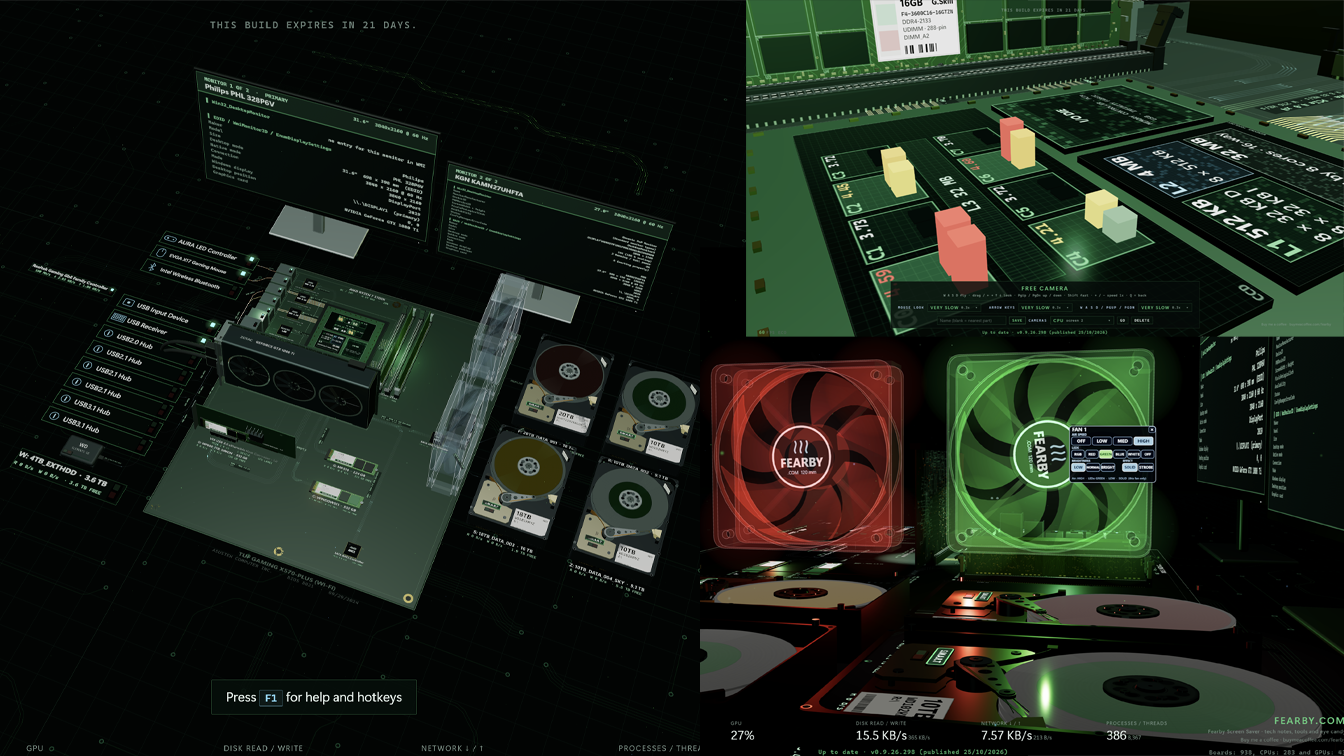
Download
Installer (.msi)
A standard Windows Installer package: install, change or remove it from Settings → Apps like any other program. Uses the .NET runtime on your computer instead of carrying its own.
Needs the .NET 10 Desktop Runtime (x64) if your PC does not already have it. The installer checks for it (and for the Edge WebView2 Runtime) and offers Microsoft's download at the end if either is missing - or install it first yourself.
Get the .NET 10 Desktop Runtime (from Microsoft)
The .msi is code-signed by Simon Fearby (right-click → Properties → Digital Signatures).
To check a download, open PowerShell in your Downloads folder and run
Get-FileHash -Algorithm SHA256 .\FearbyScreenSaver-0-9-26-301.msi - it should match the SHA-256 above, character for character.
Free to use. If you like it, you can buy me a coffee.
VirusTotal Scans of (SHA-256 922599afa175fcd6d497be994bb9e4db8466fd46f71a64dc572bca3cc46b3772): https://www.virustotal.com/gui/file/922599afa175fcd6d497be994bb9e4db8466fd46f71a64dc572bca3cc46b3772?nocache=1
How is your hardware detected
This screen saver detects you computer parts at startup and creates a Realtime visualization.
This app is in Alpha development and may have bugs. Entertainment only. Help support this app (Request features) by visiting https://buymeacoffee.com/fearby
WIP Screenshots
v0.9.26.287~289 ~ v0.9.26.301 (28-10-2026)
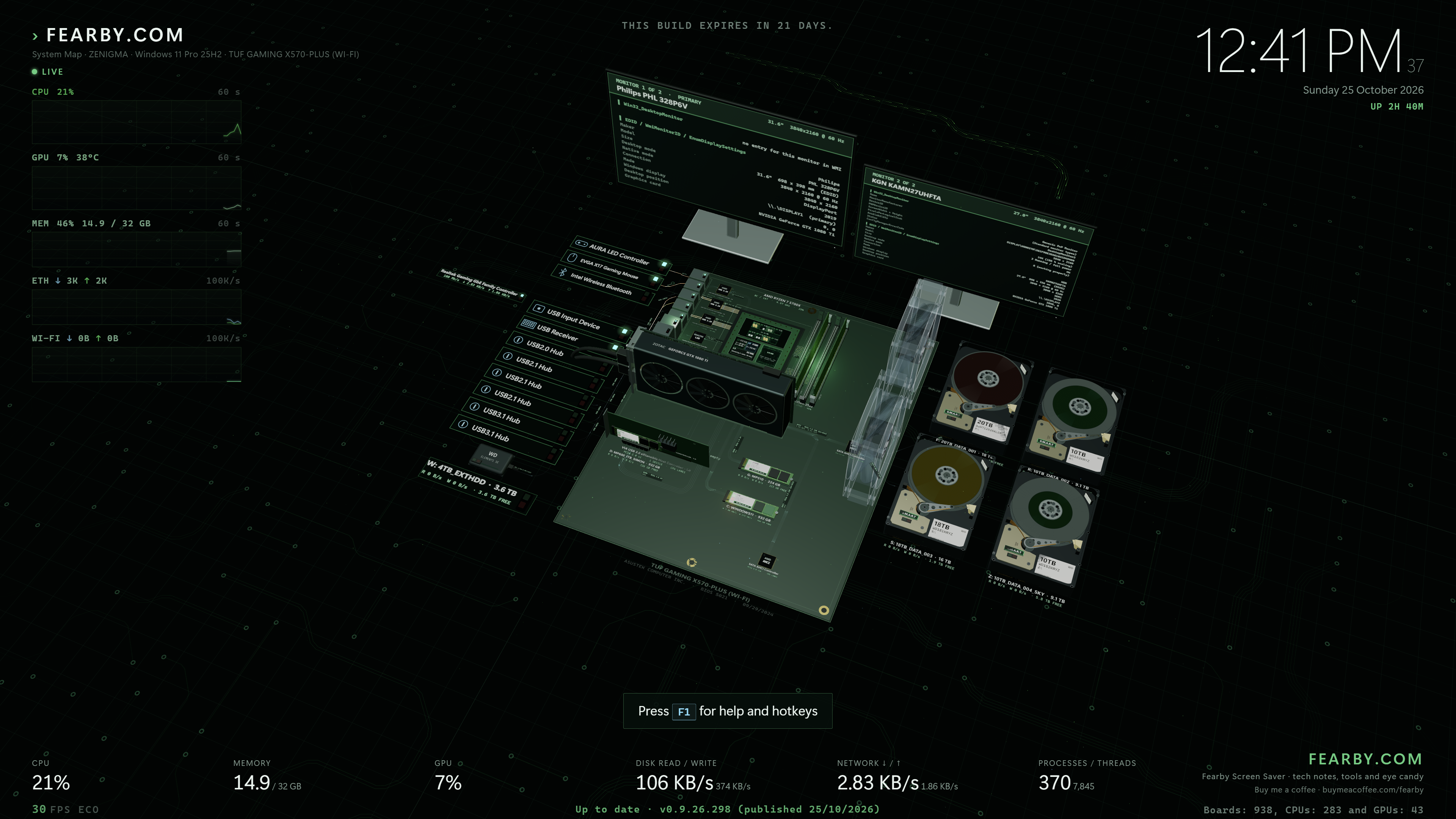
This is the default Screen Saver view that rotates the camera around your detected computer parts in 3d. Every xx seconds the camera zooms into focus on a part and displays information.
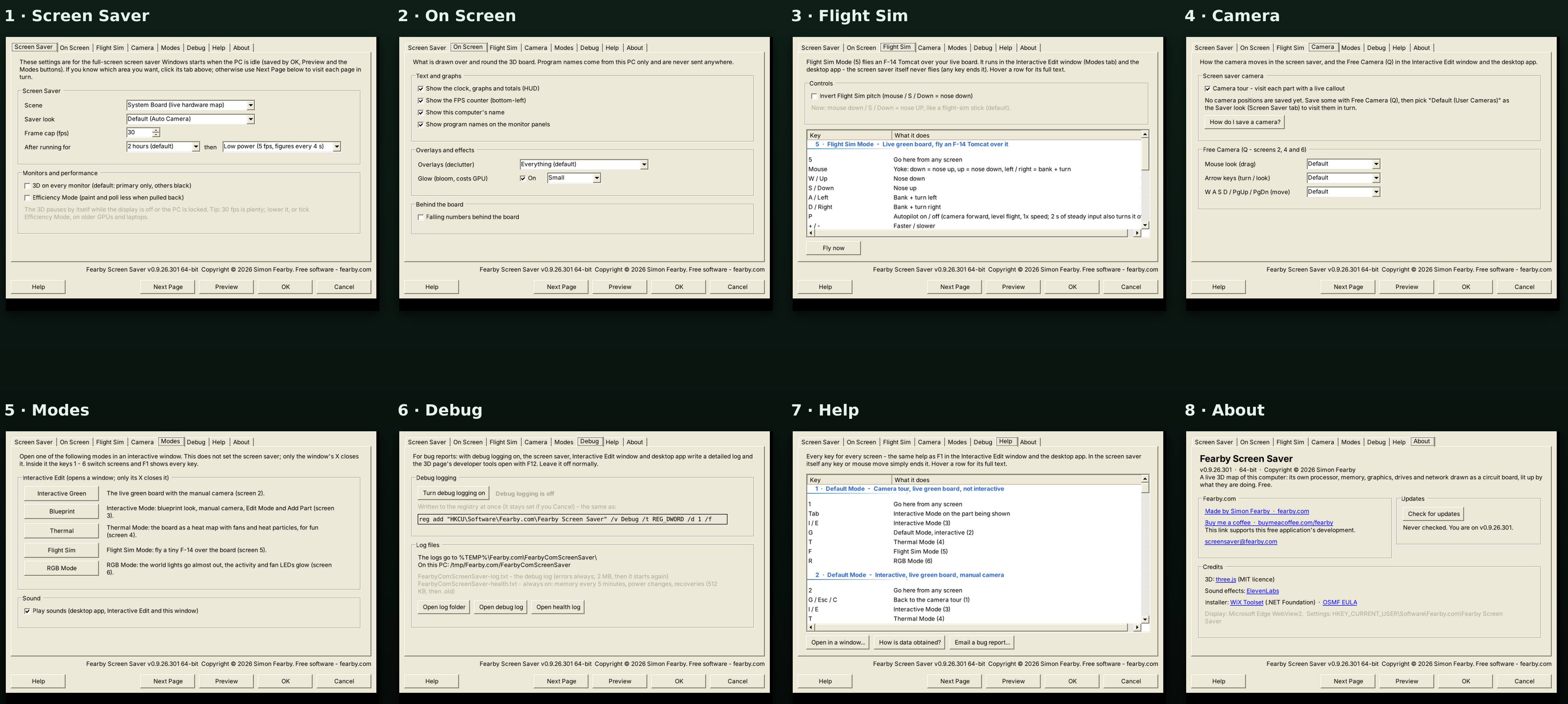
Screen Saver Dialog
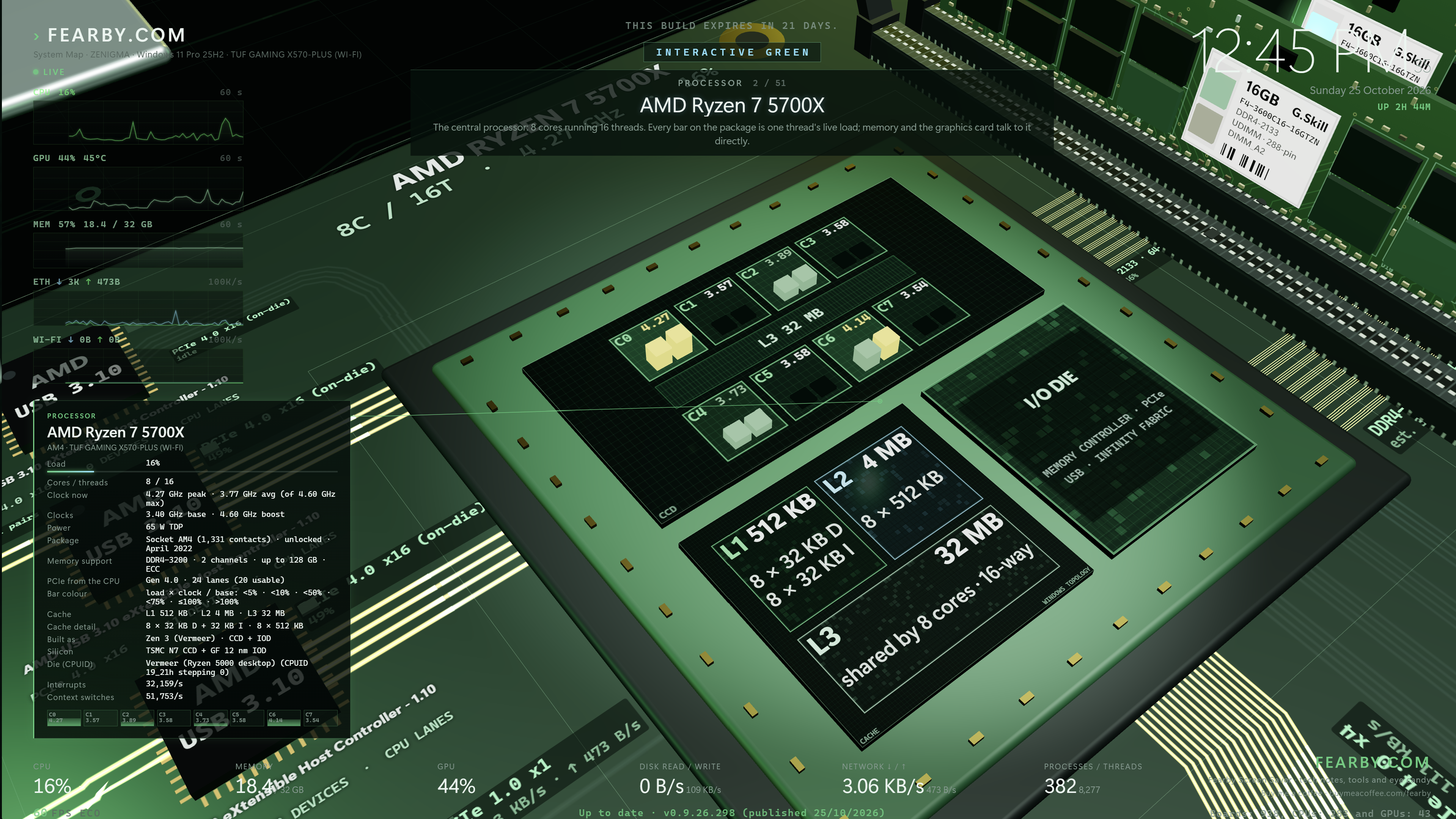
Parts can be viewed (Processor)
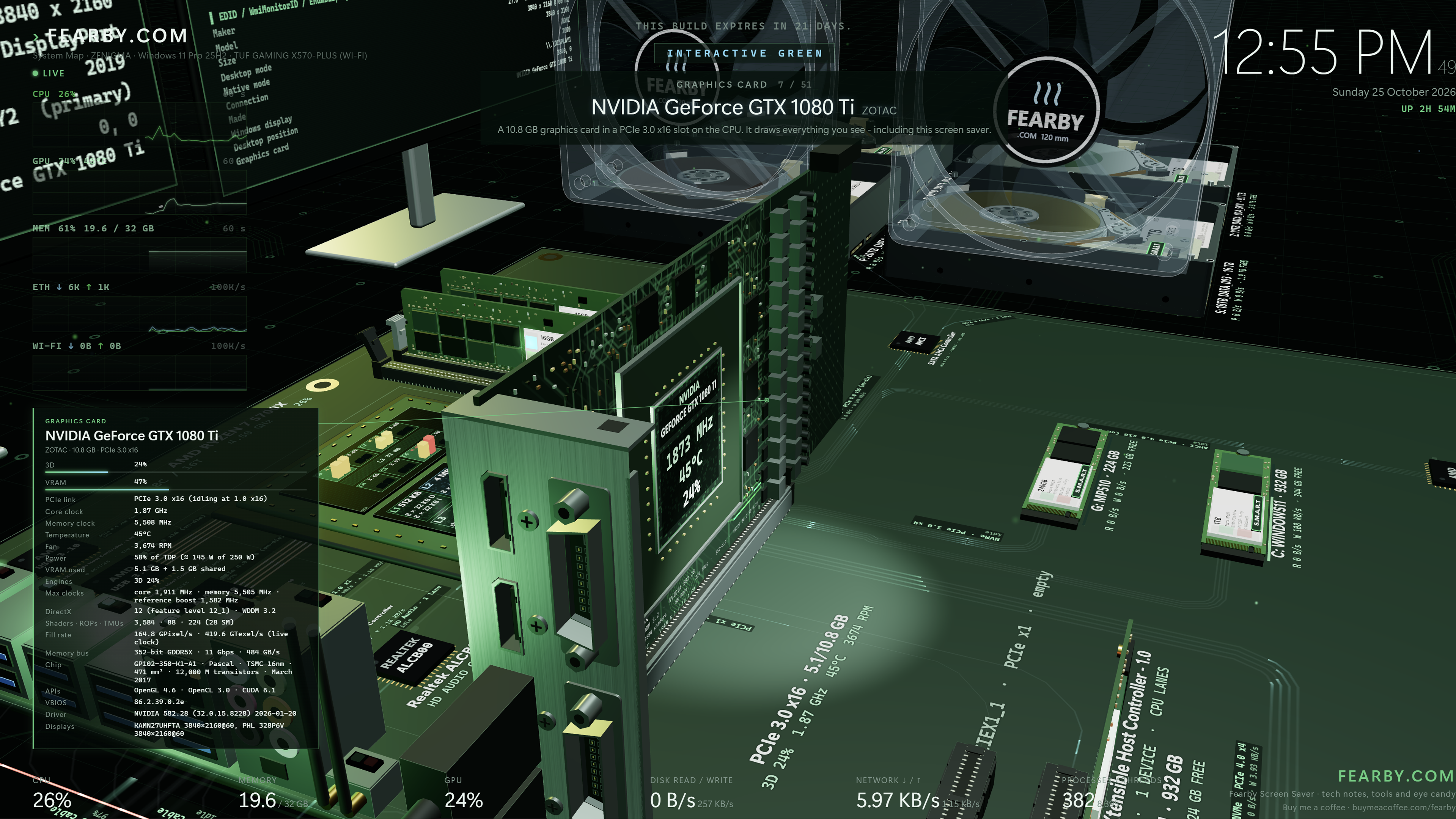
Graphics Card View
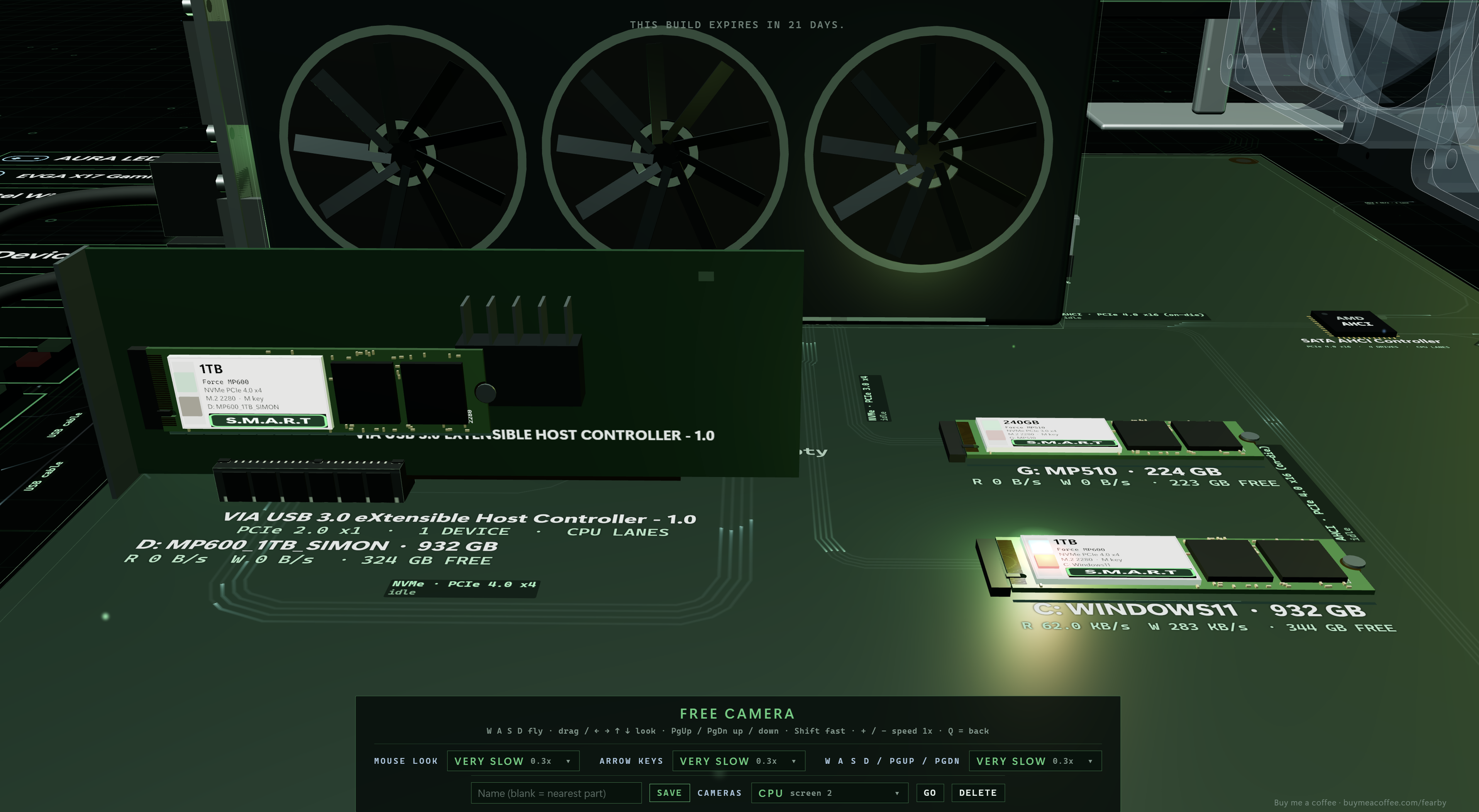
Improved M.2 View
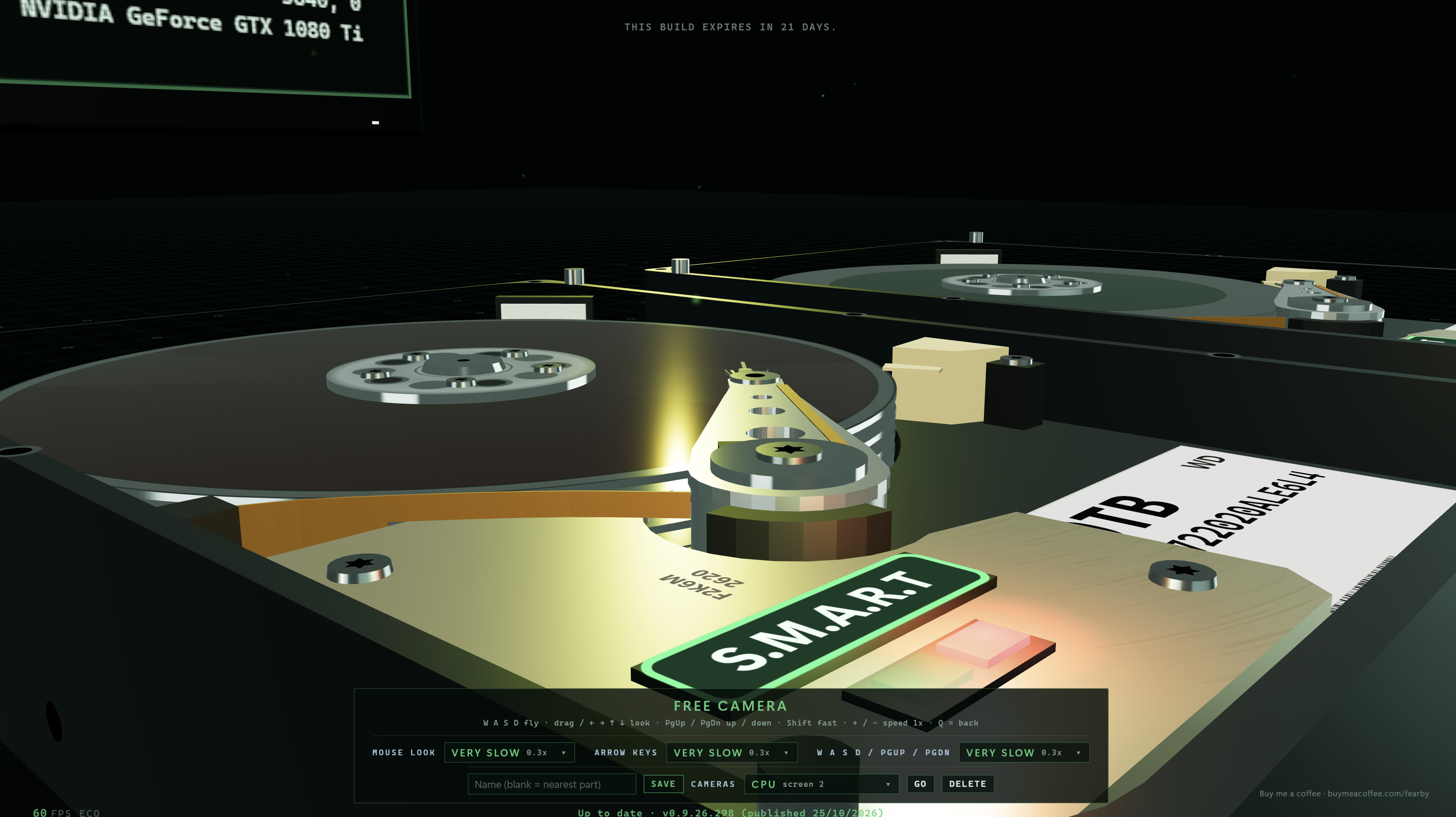
Hard Drive View
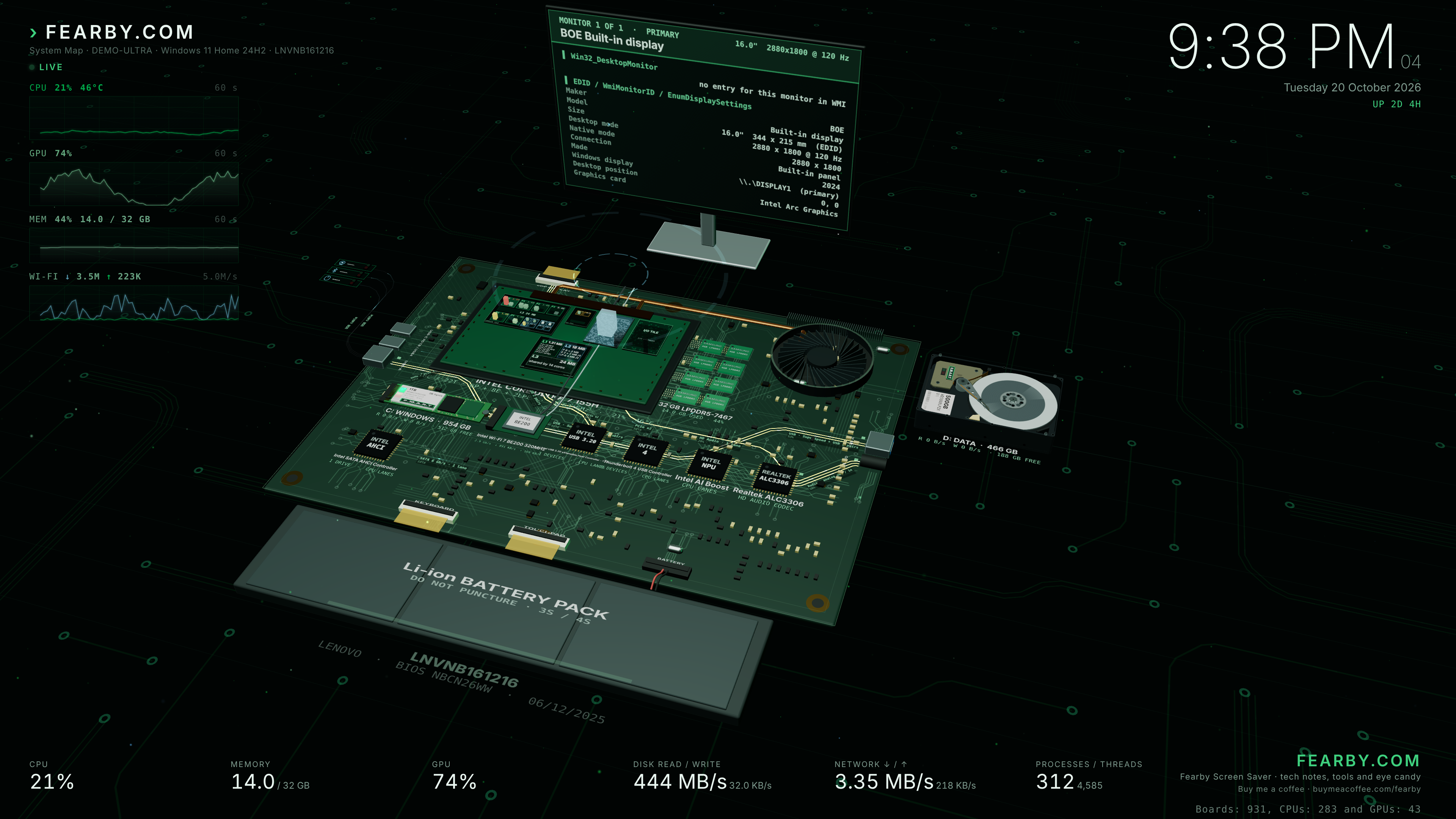
Experimental Laptop Layout
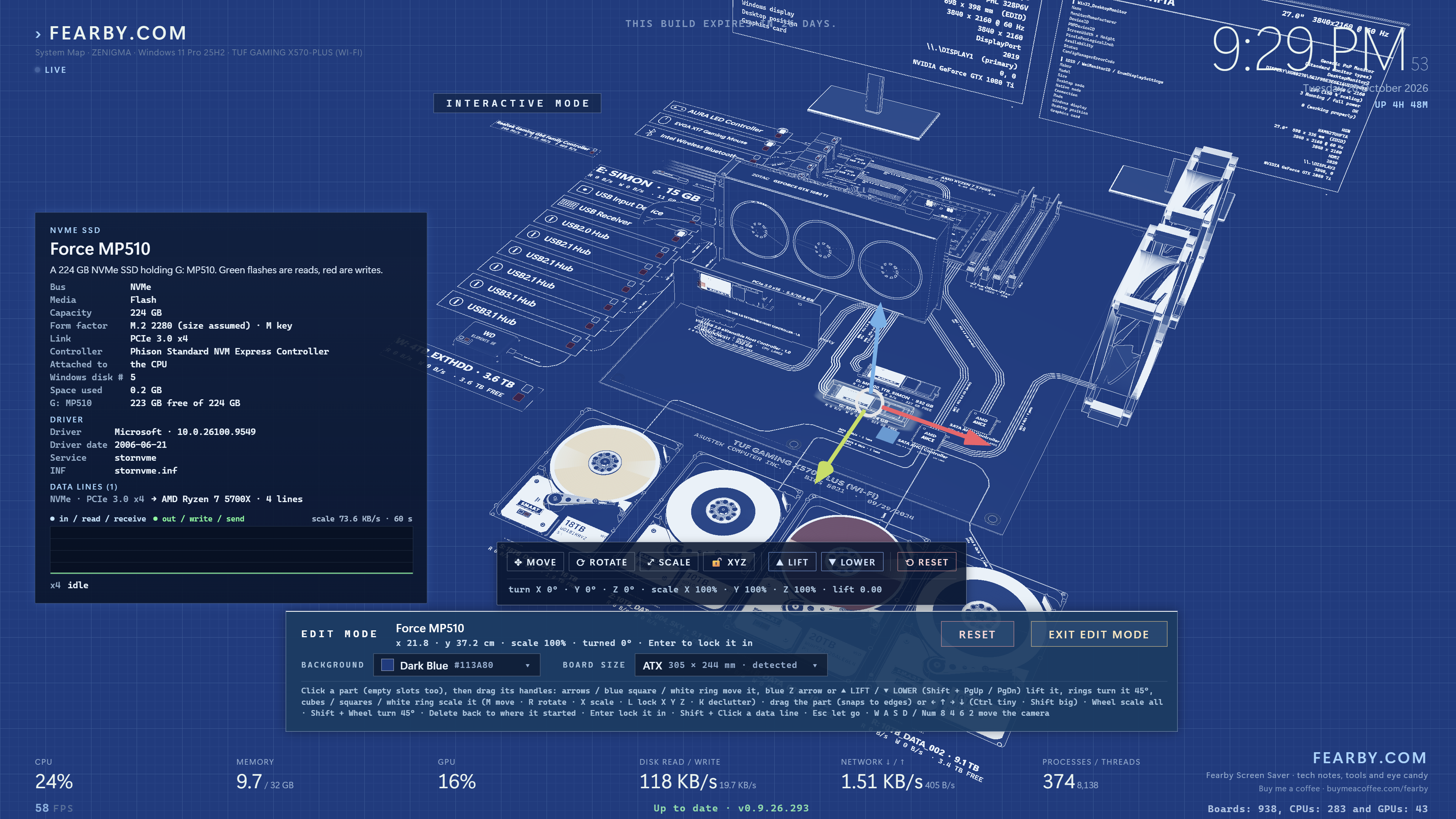
Blueprint (Edit Mode) - Move Part
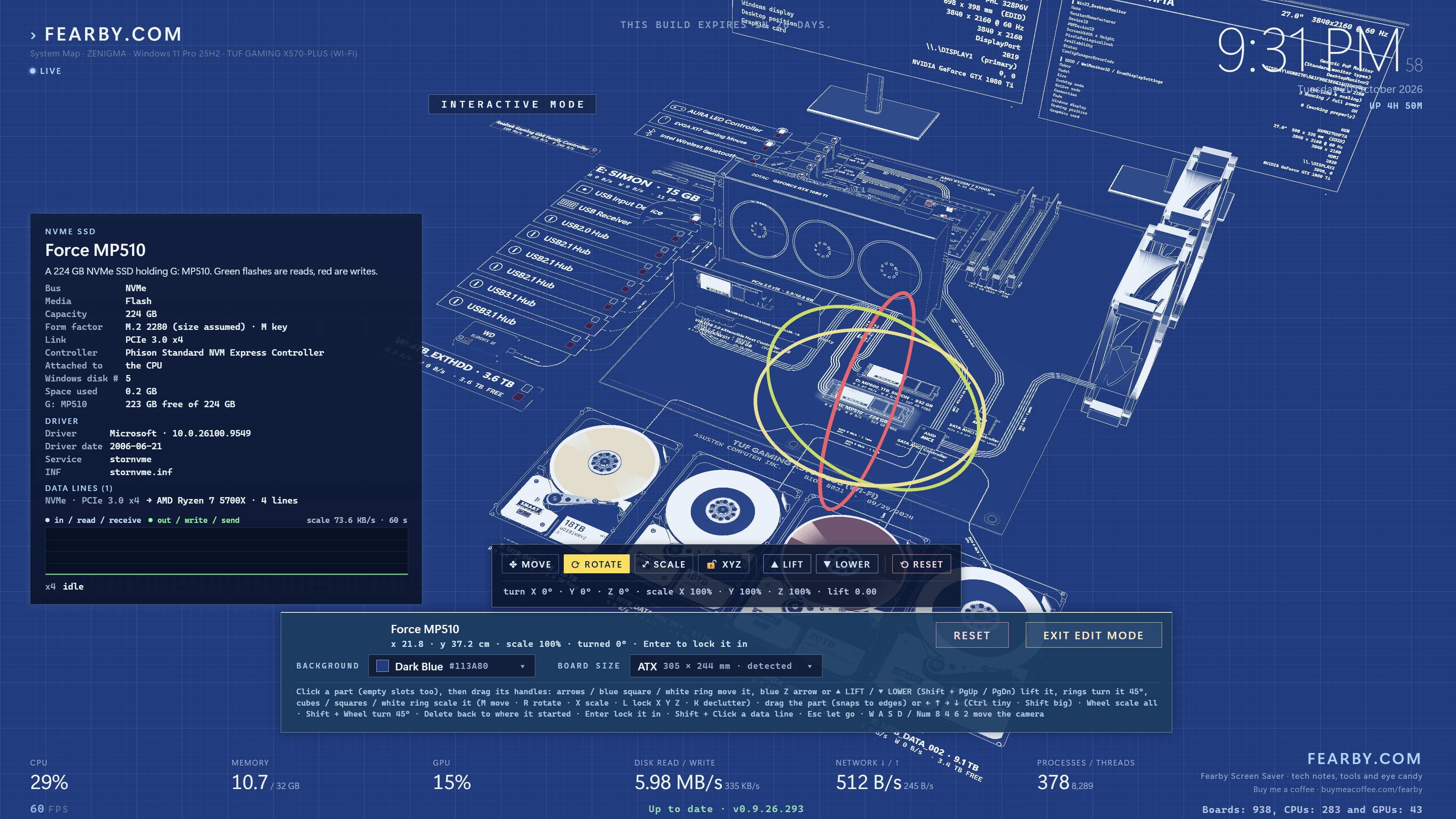
Blueprint (Edit Mode) - Rotate Part
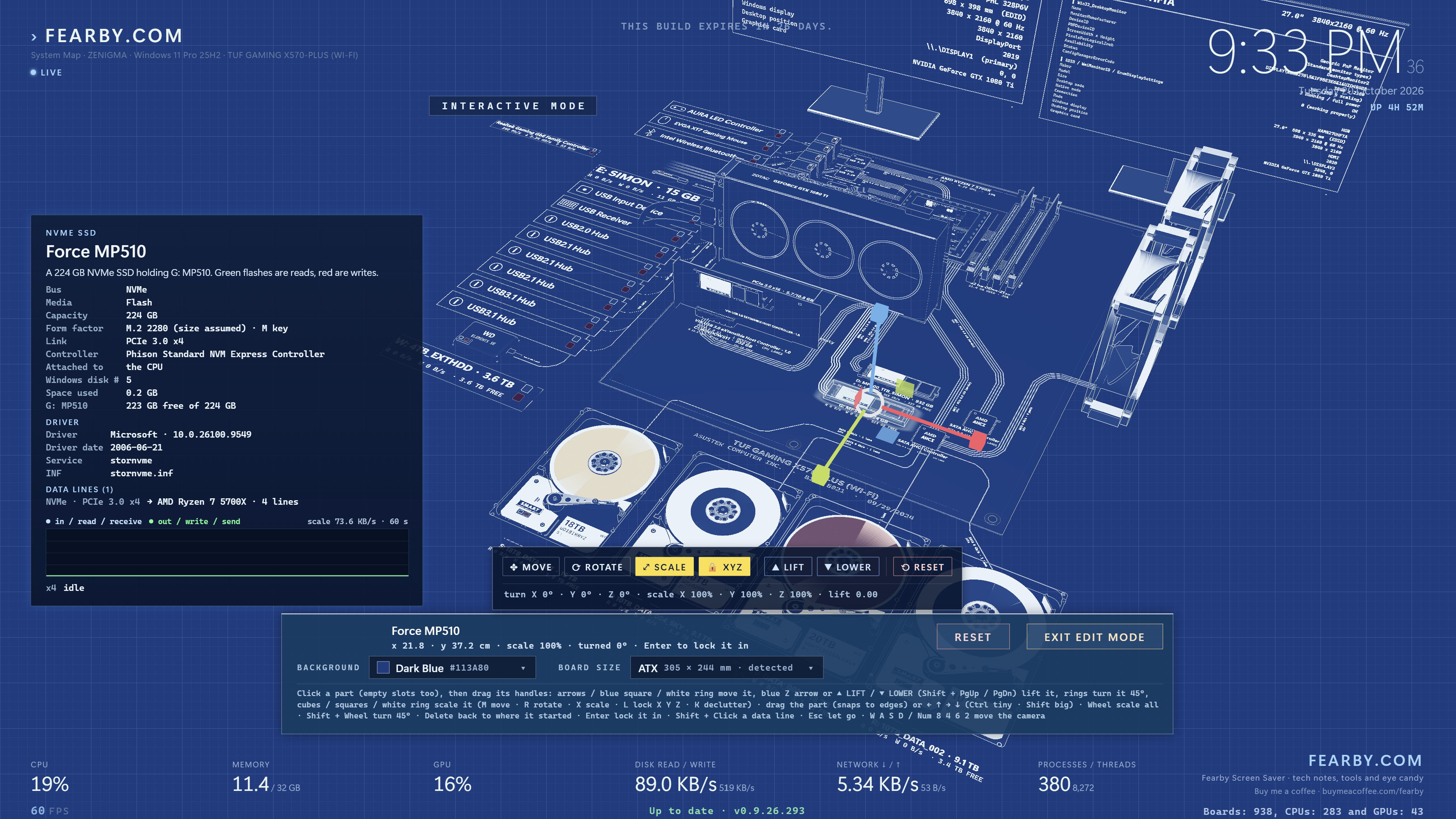
Blueprint (Edit Mode) - Scale Part
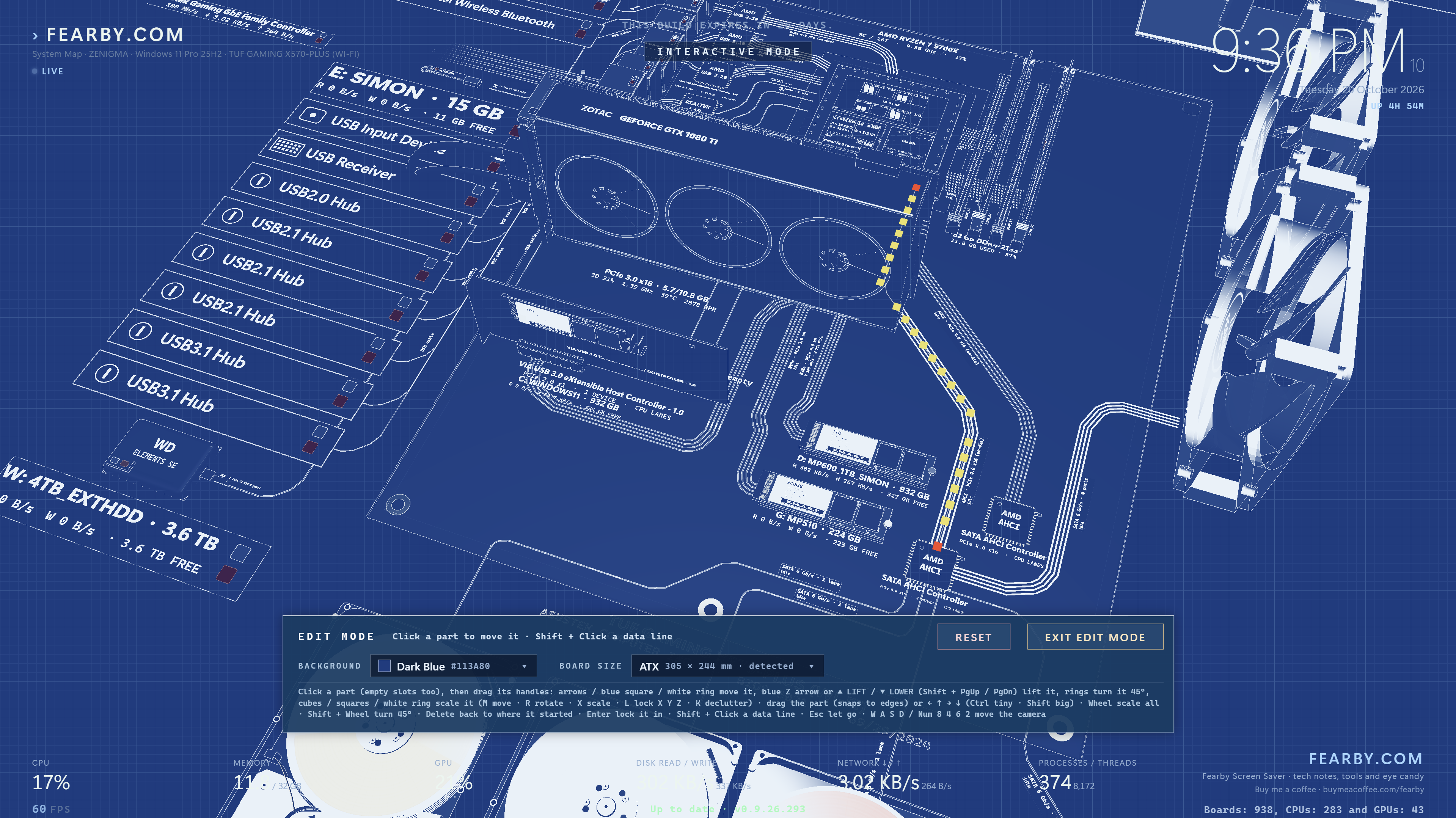
Blueprint (Edit Mode) - Edit Traces
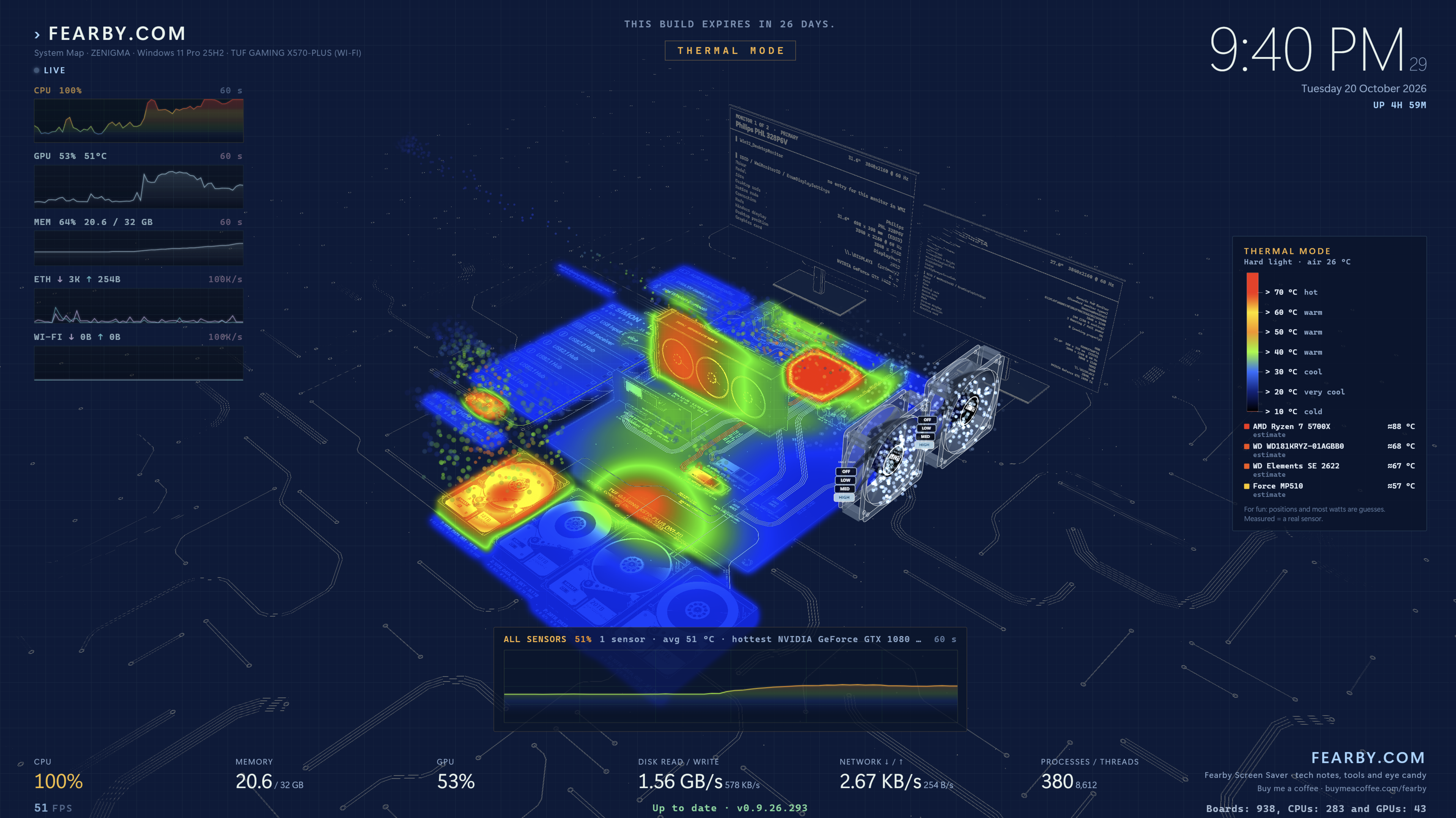
Thermal Mode (Fan Off) Head Rises above the part.
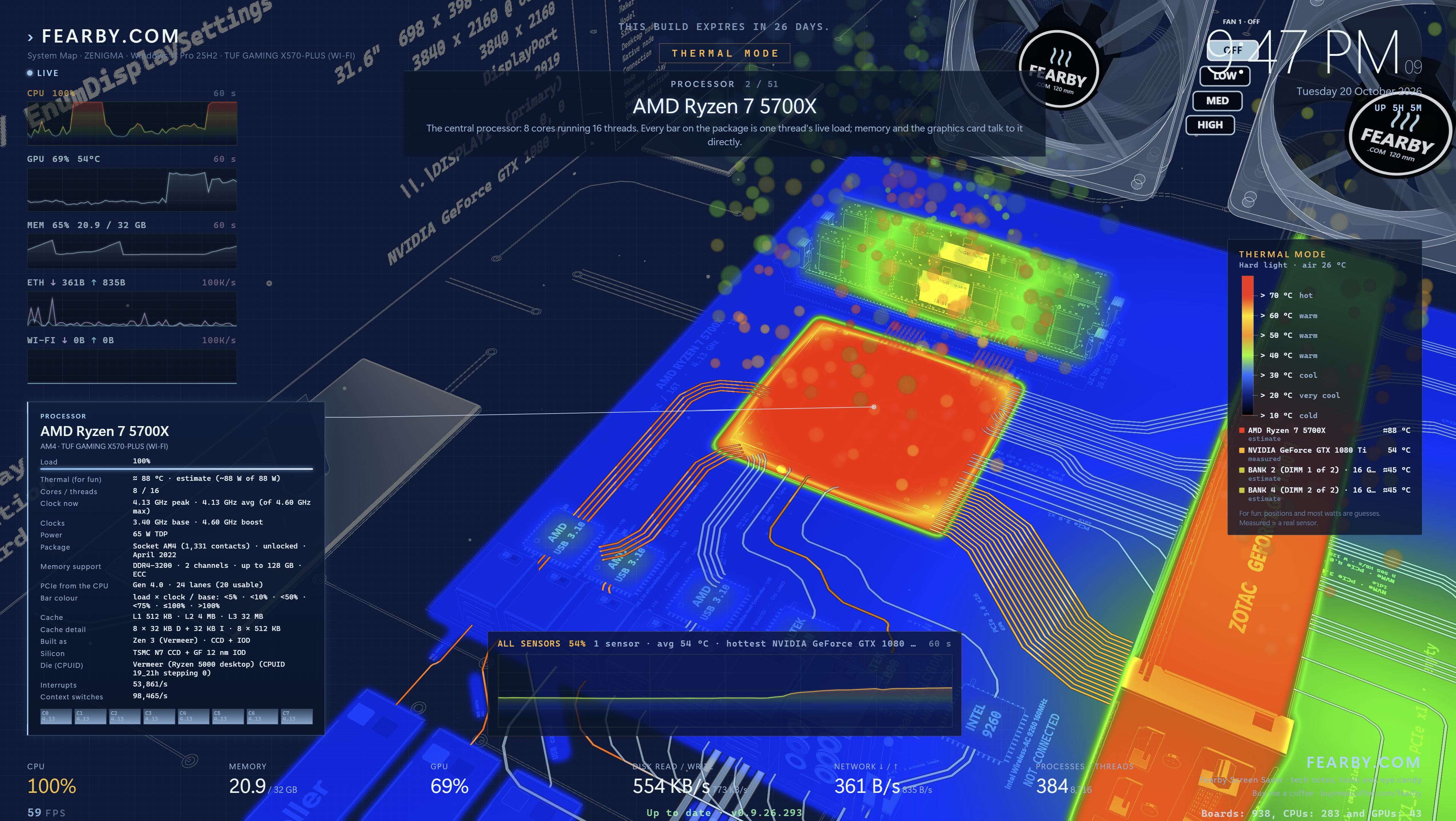
Thermal Mode (Fan On) - Heat blows away from the pars if a fan is blowing air that way
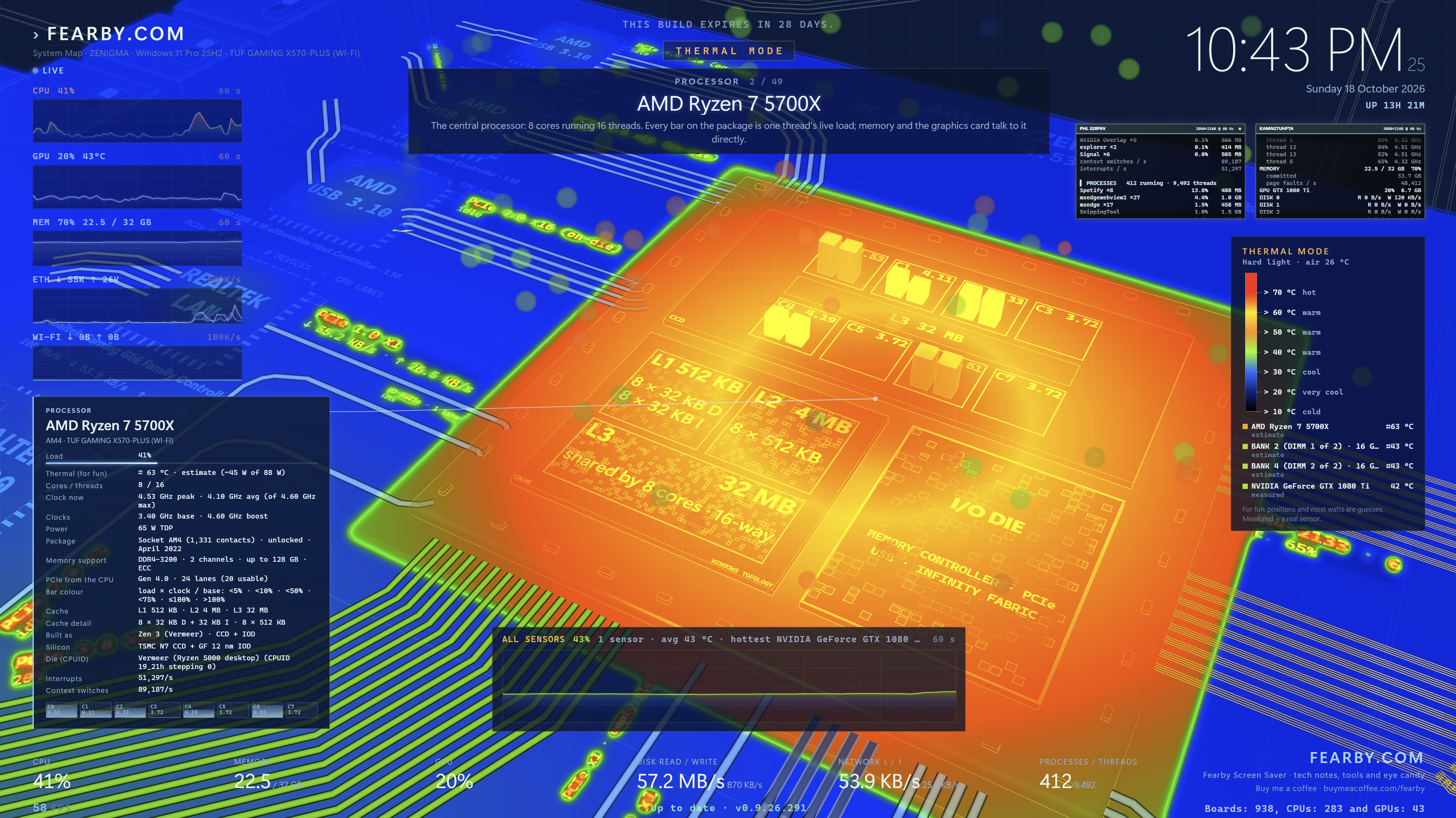
Thermal Mode (CPU)
RGB Mode
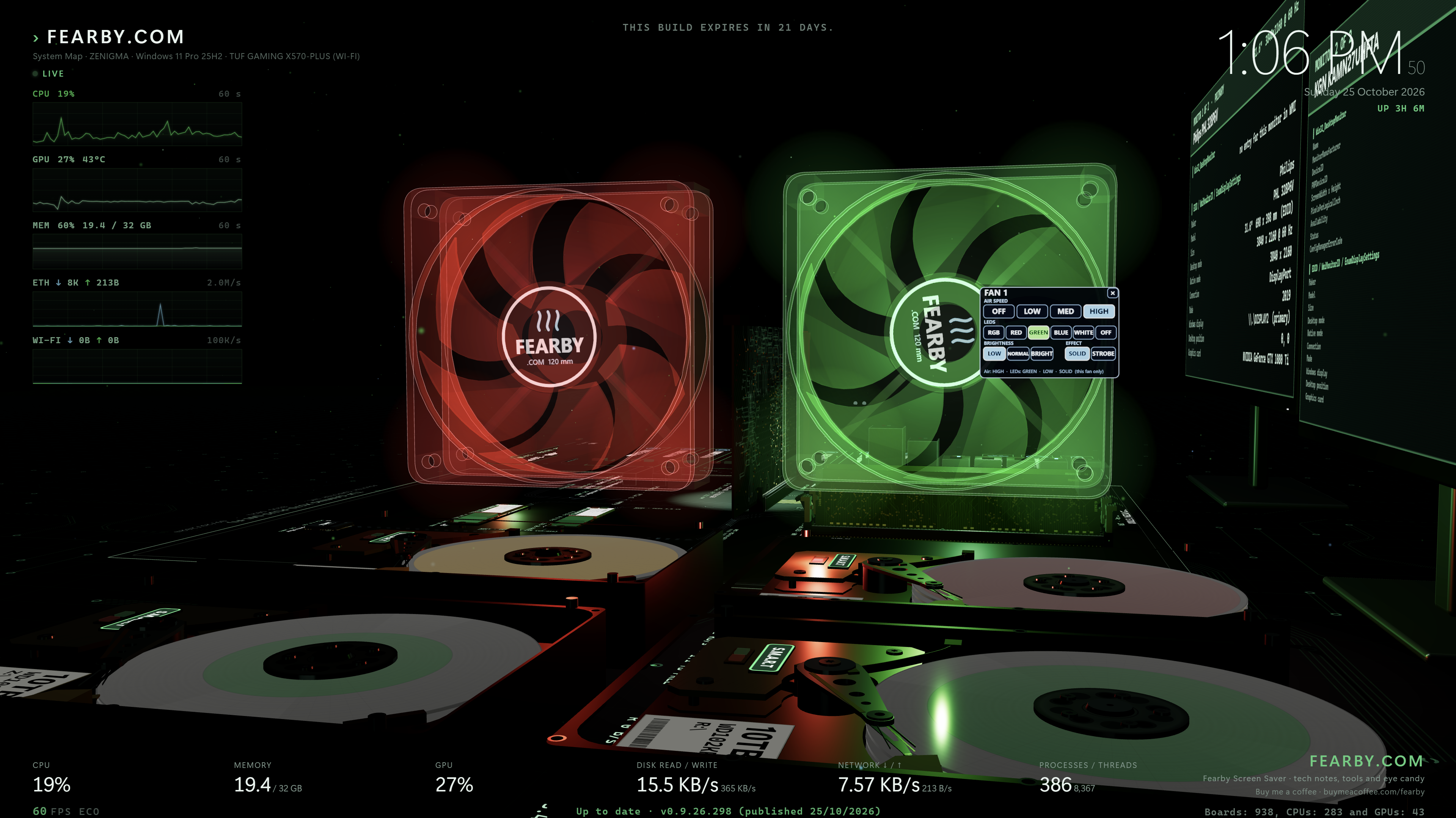
RGB Mode
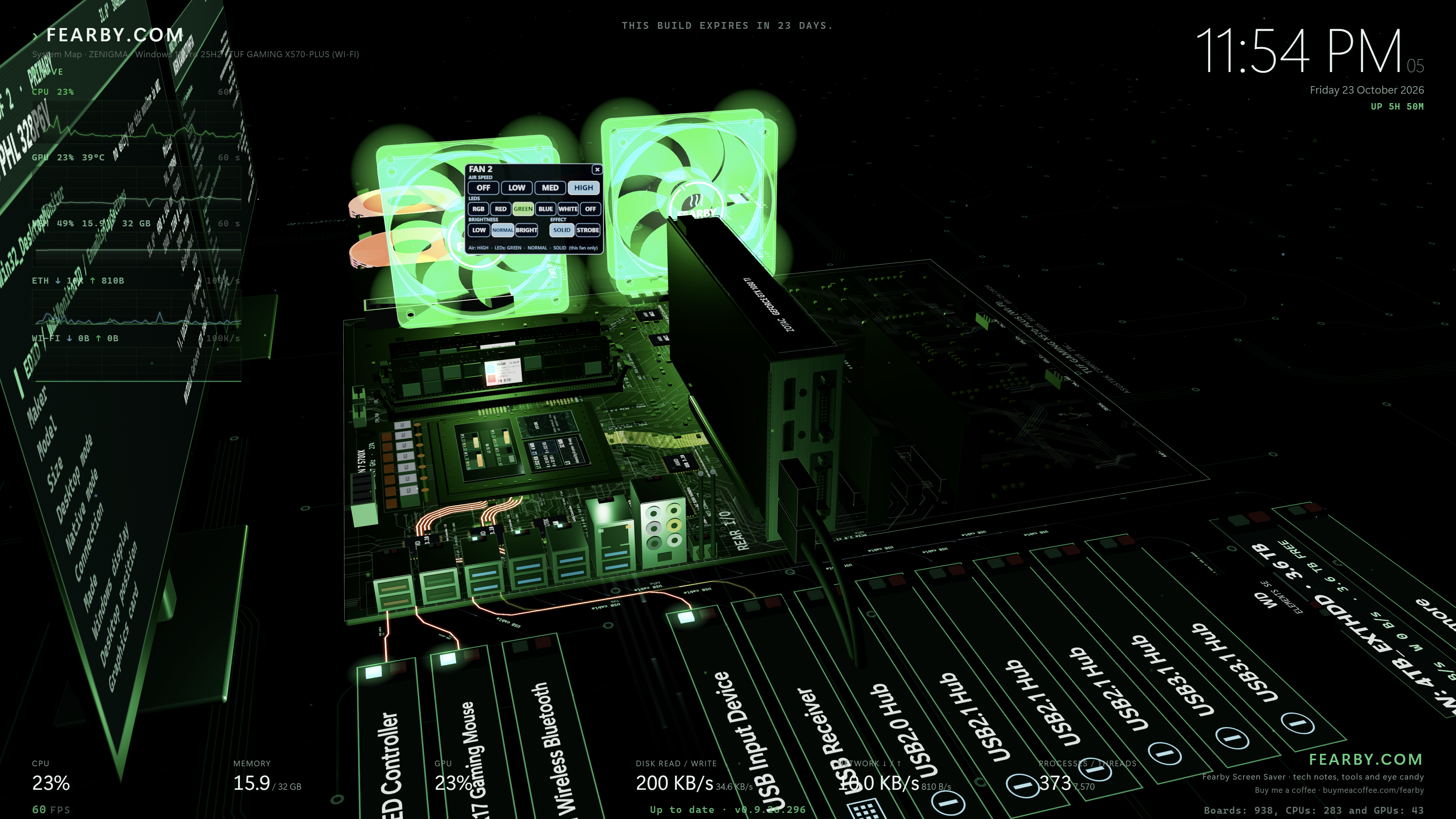
RGB Mode - Decluttered
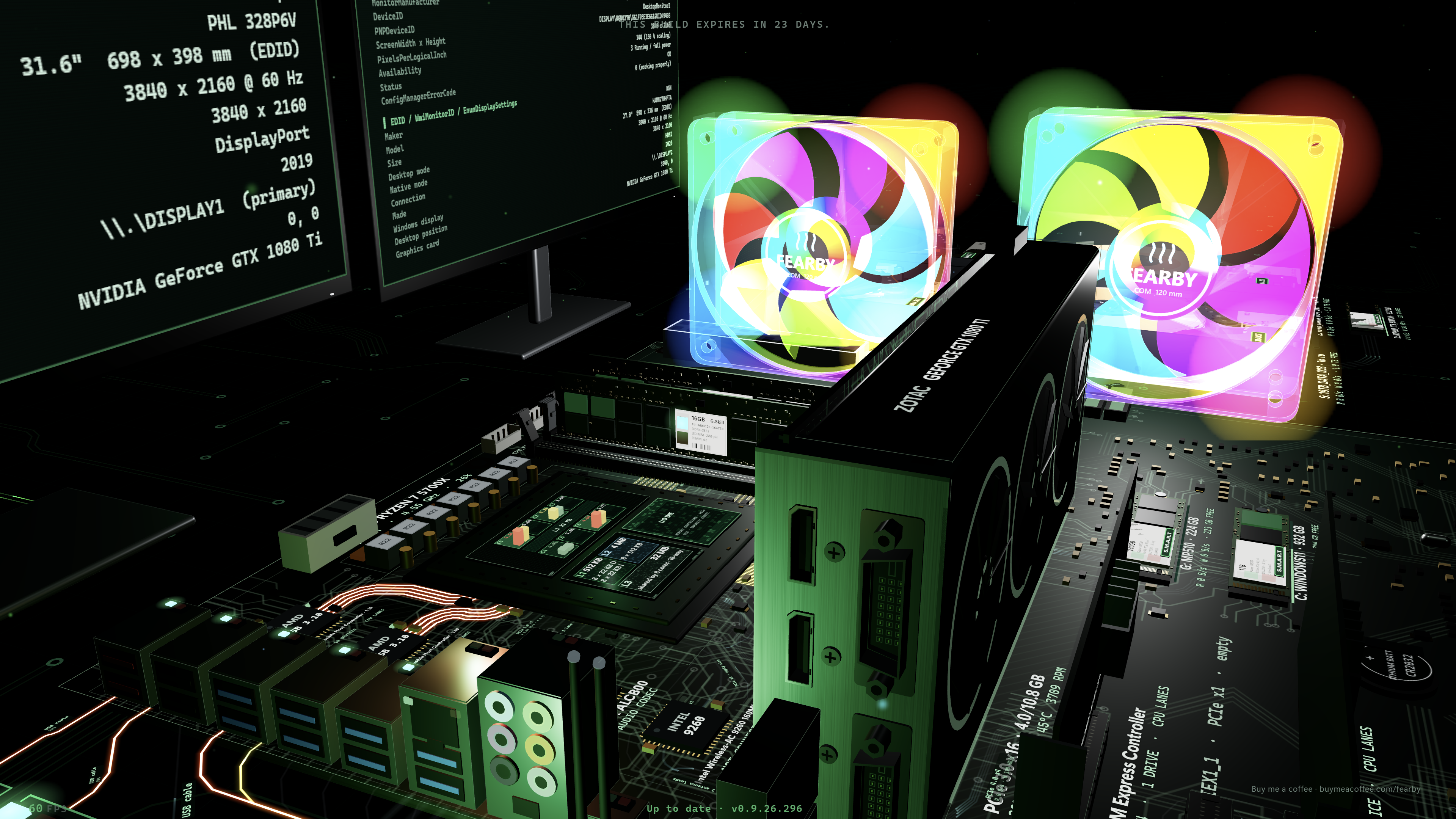
Wire Monitor (view connected circuits activity in Realtime)
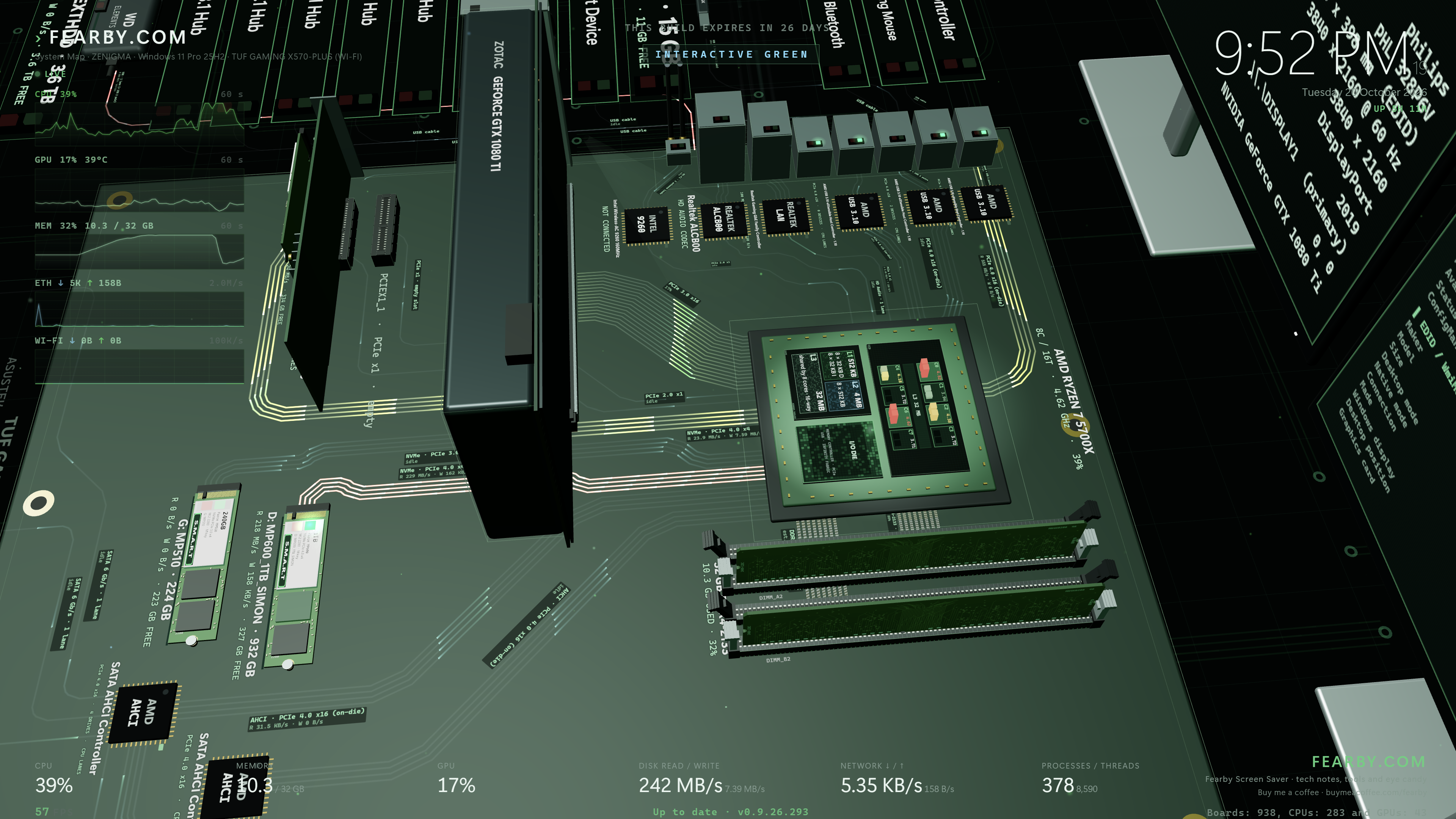
Flight Mode where you can fly over your mainboard.
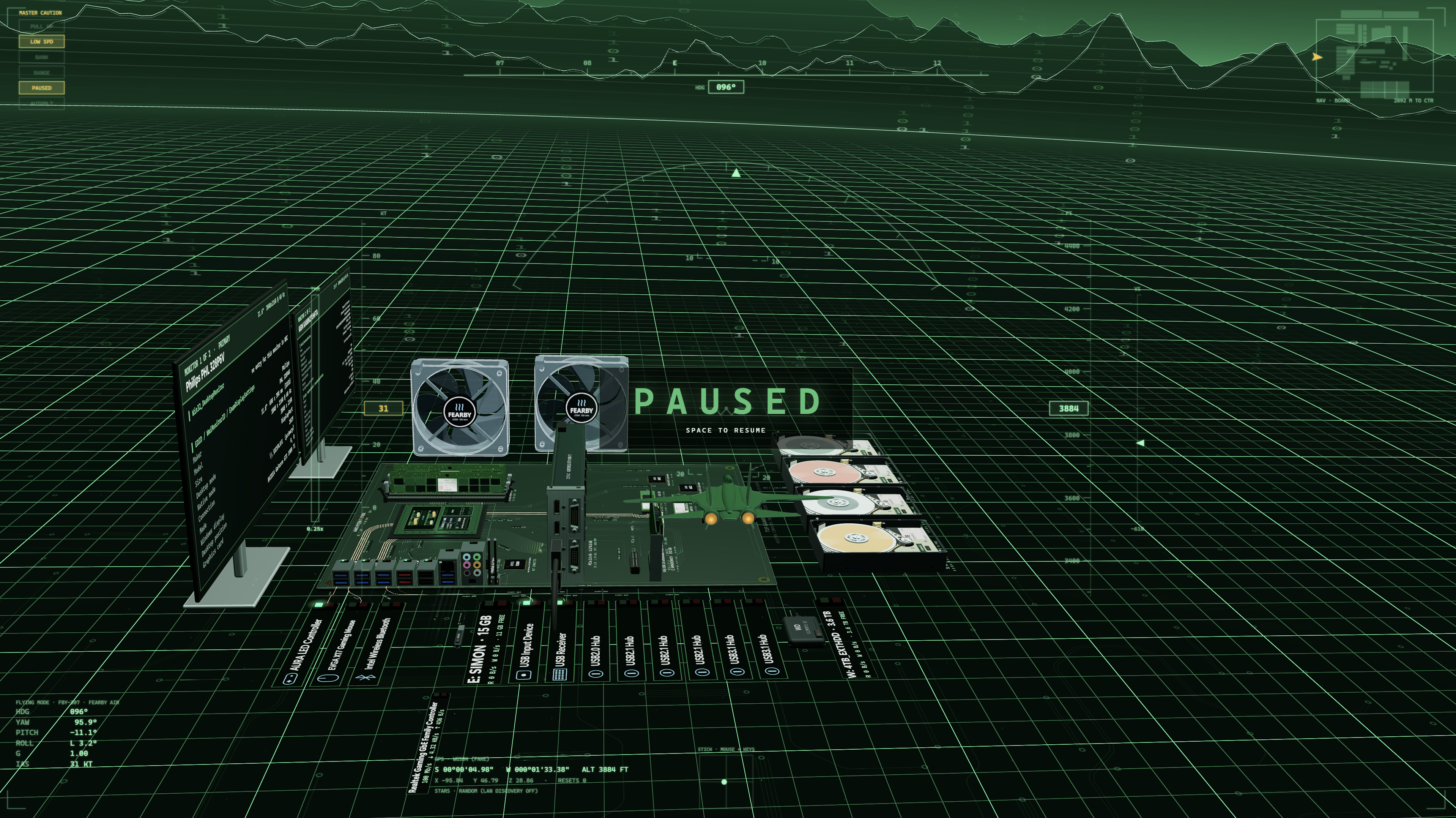
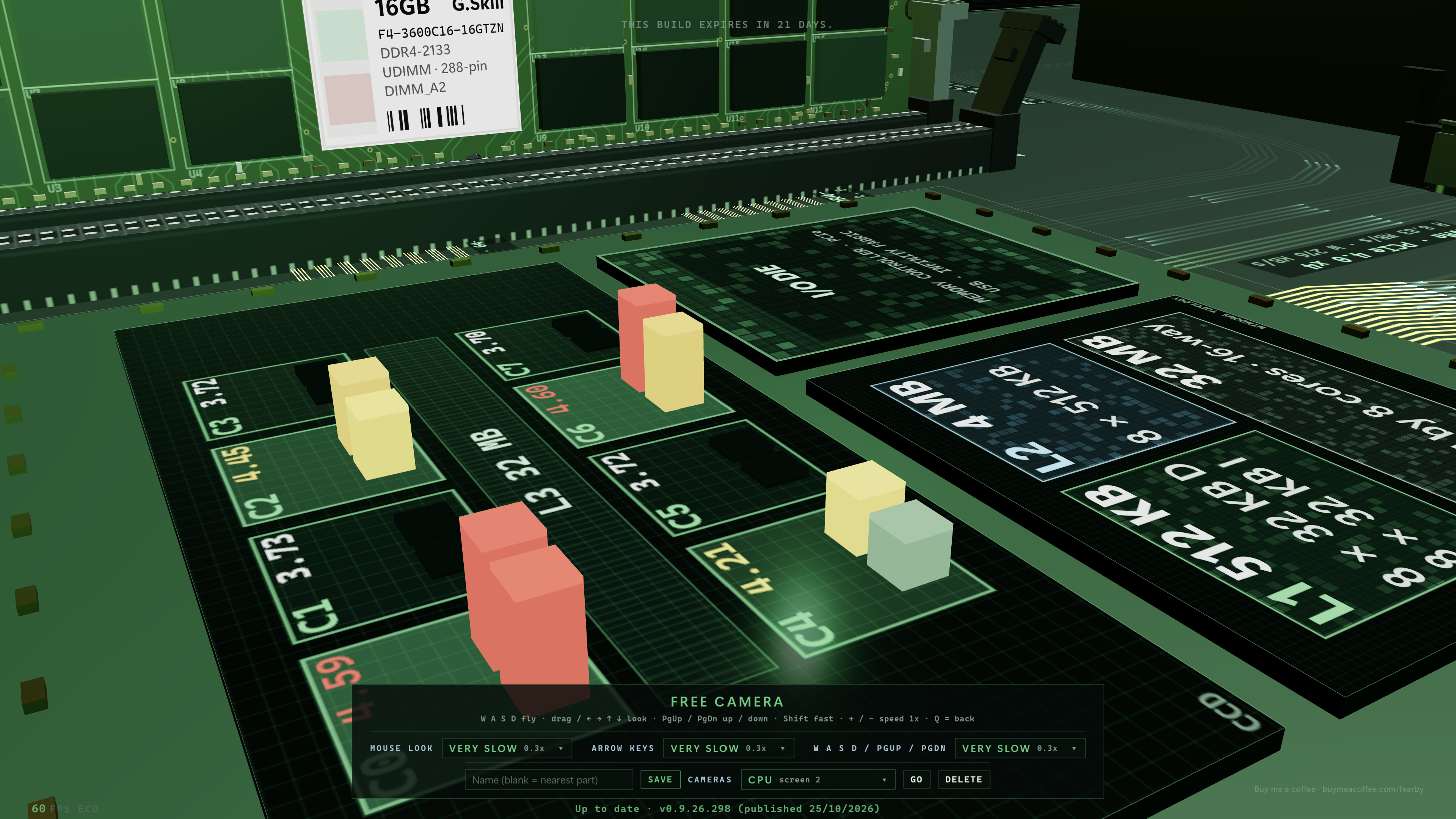
Free Cam
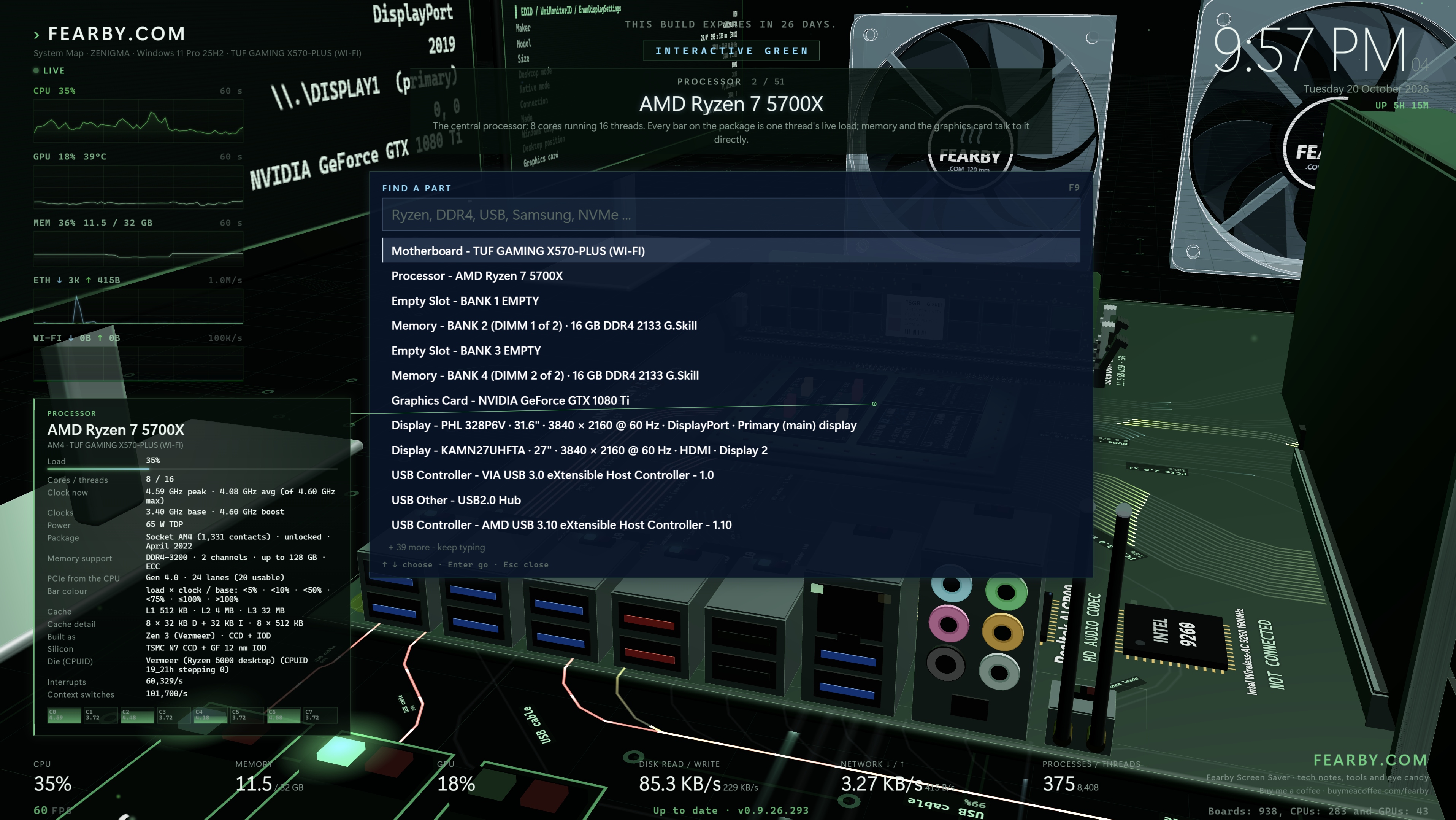
Parts Search
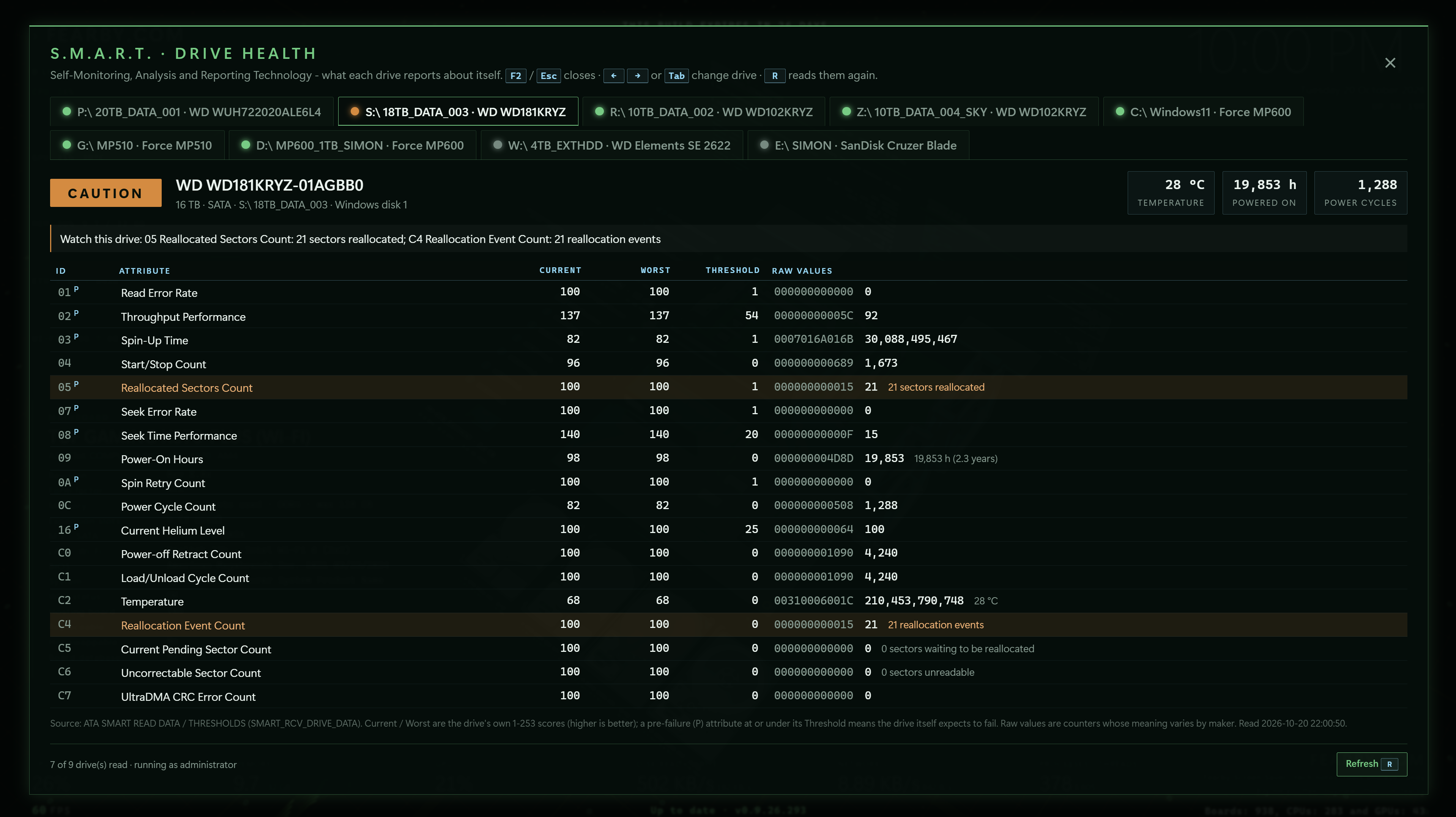
S.M.A.R.T Drive Health (Required Admin)
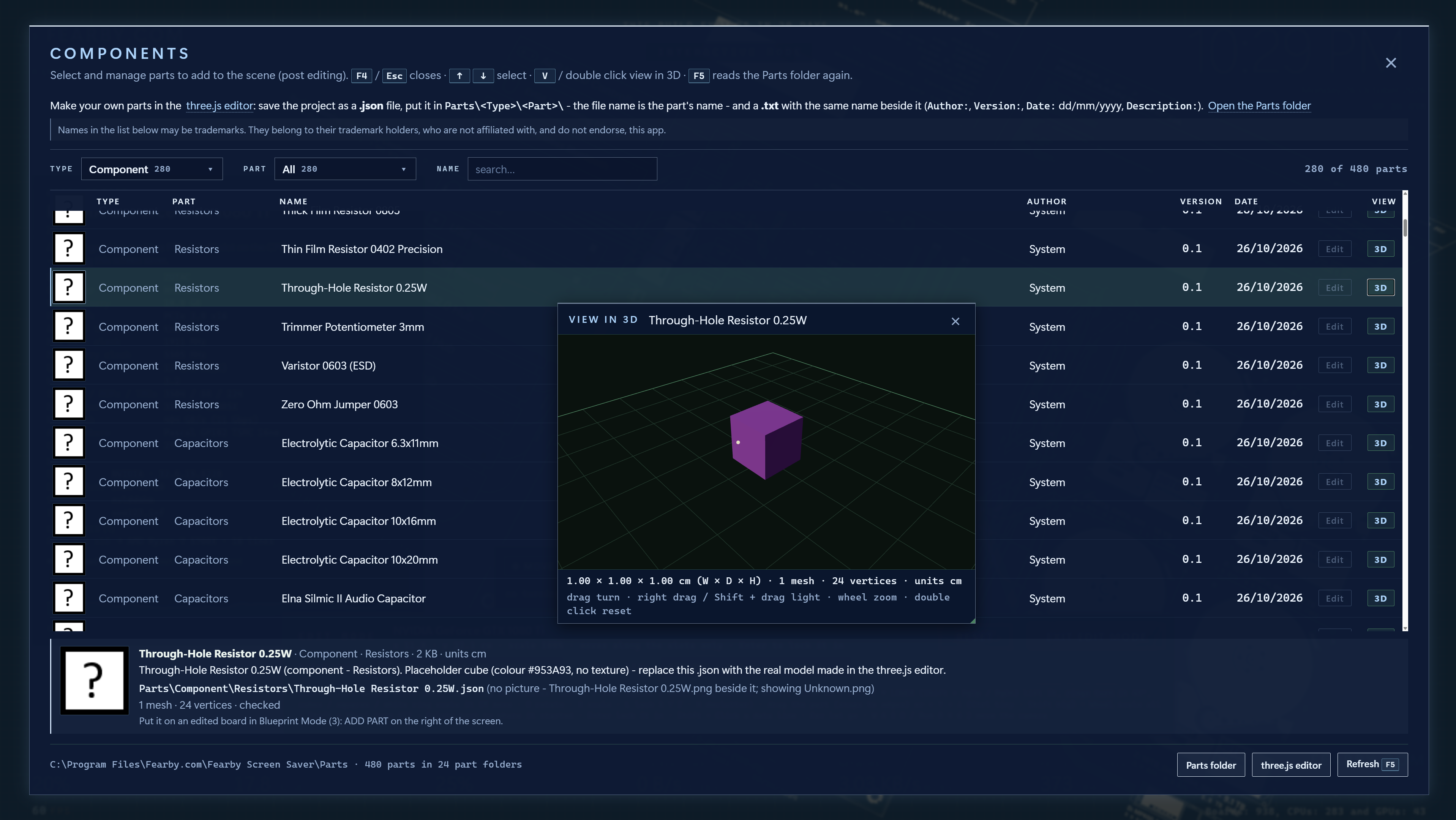
WIP Parts DB (View Parts) - Very Experimanetal
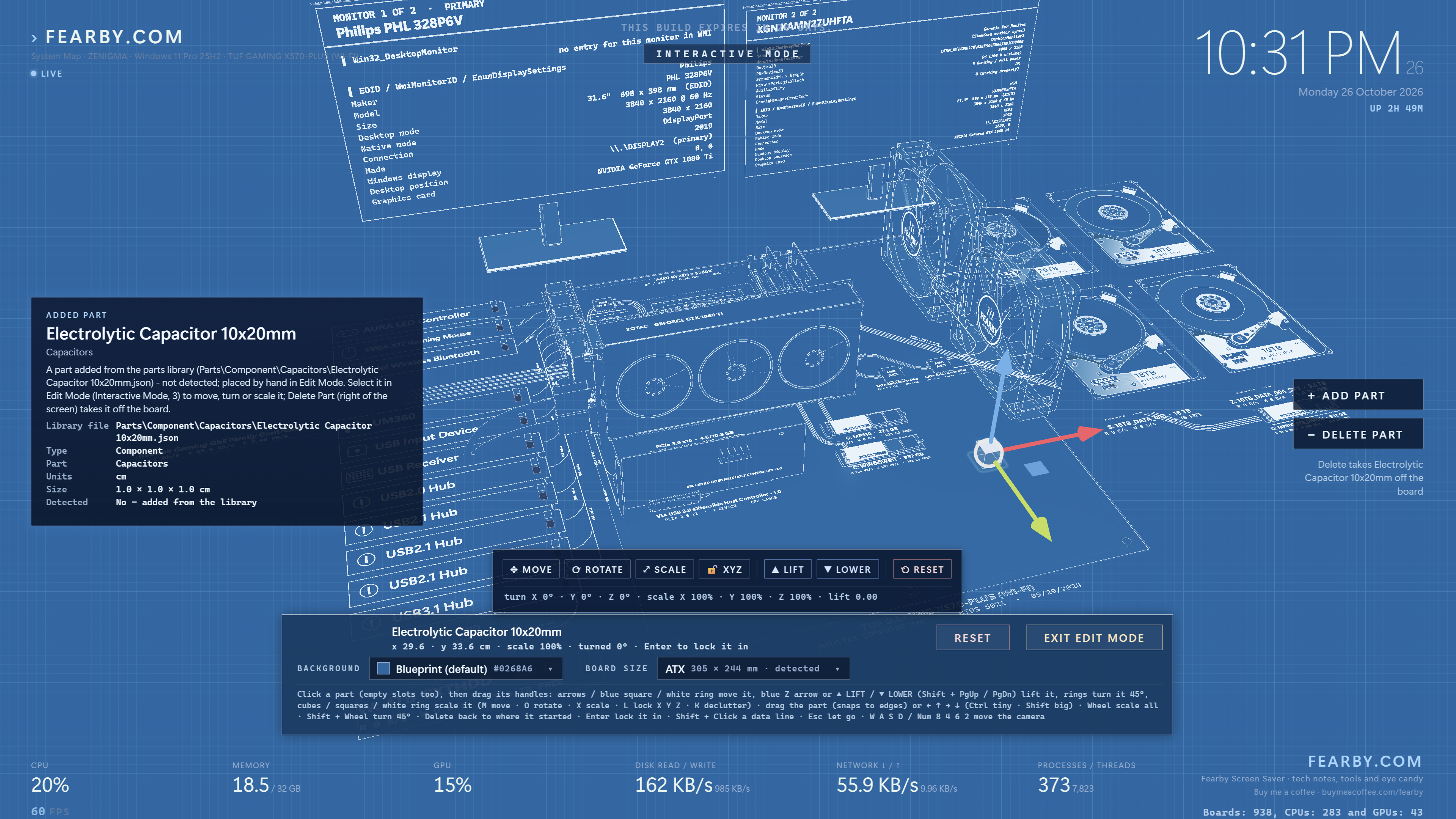
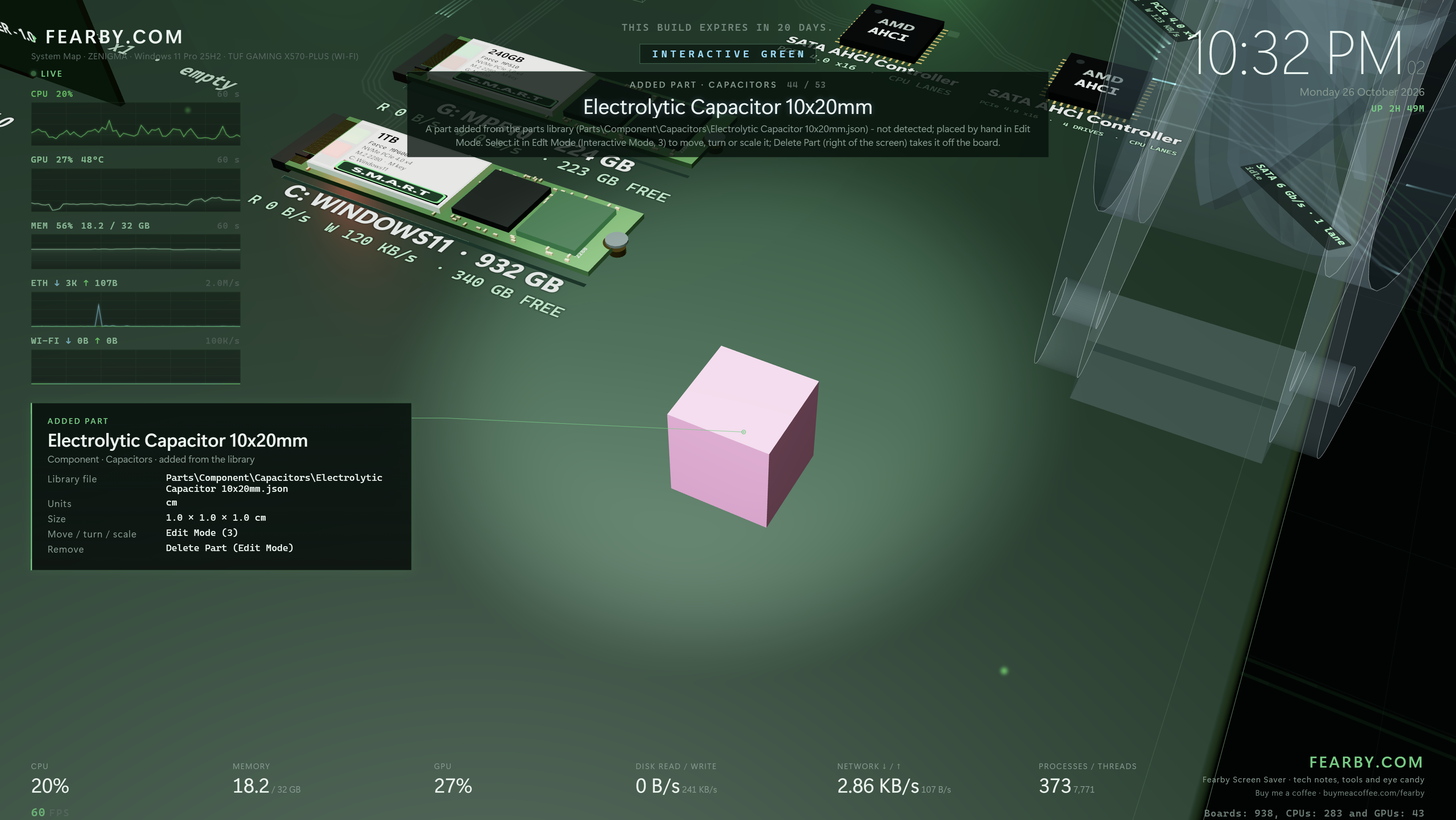
Add a part in Blueprint Mode
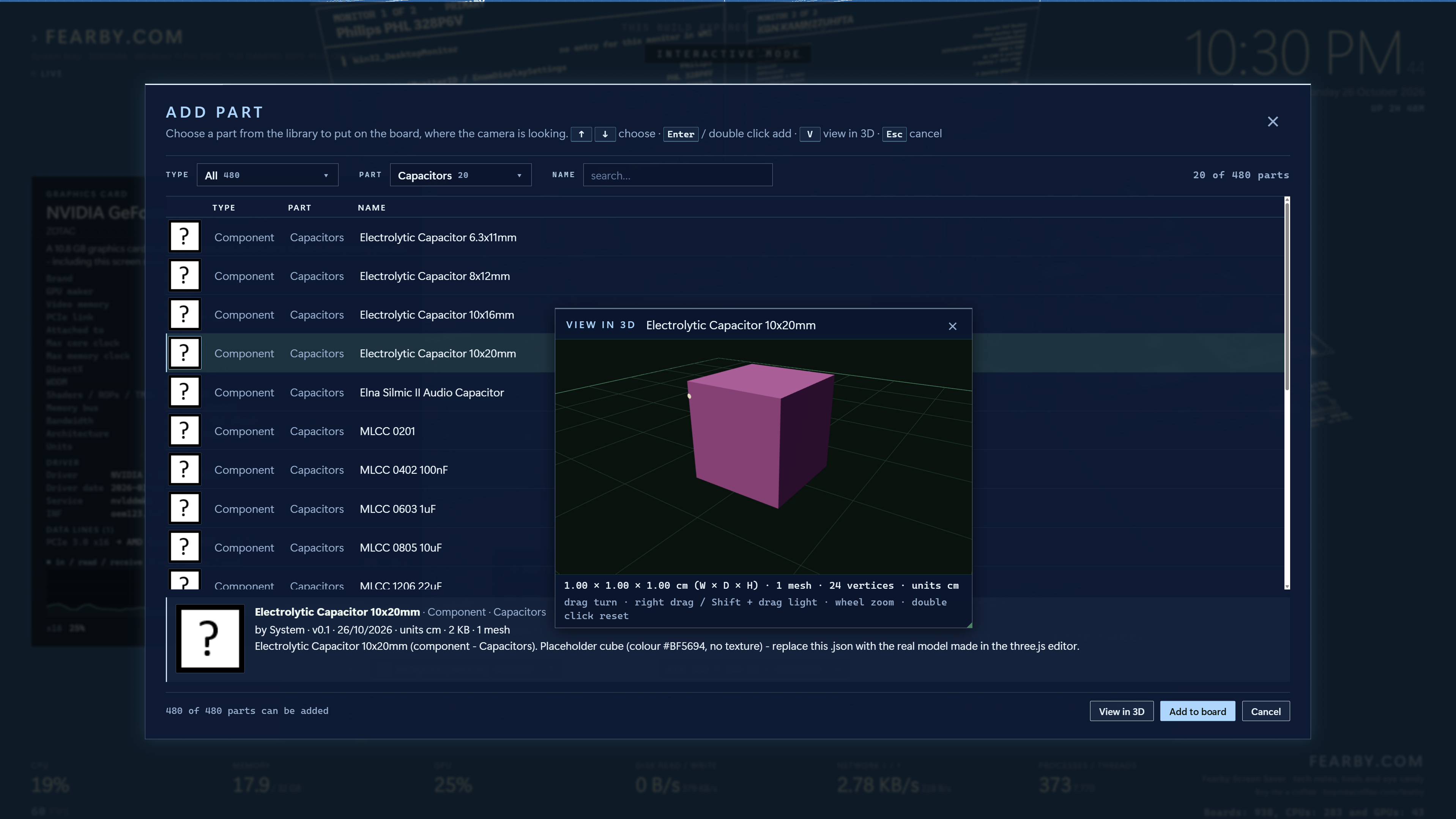
Place the Part
View the Part made in https://threejs.org/editor
Simple Open Parts
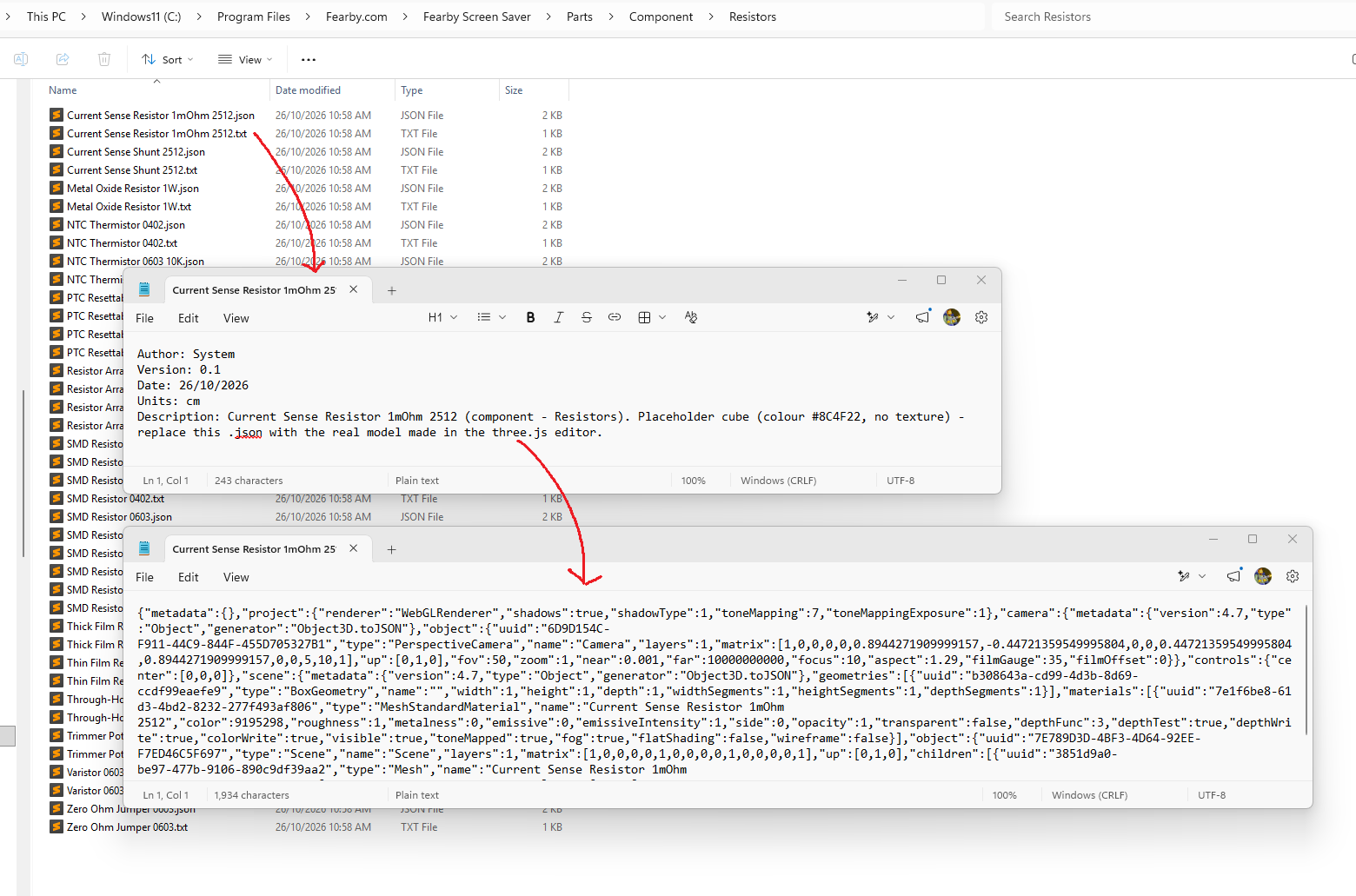
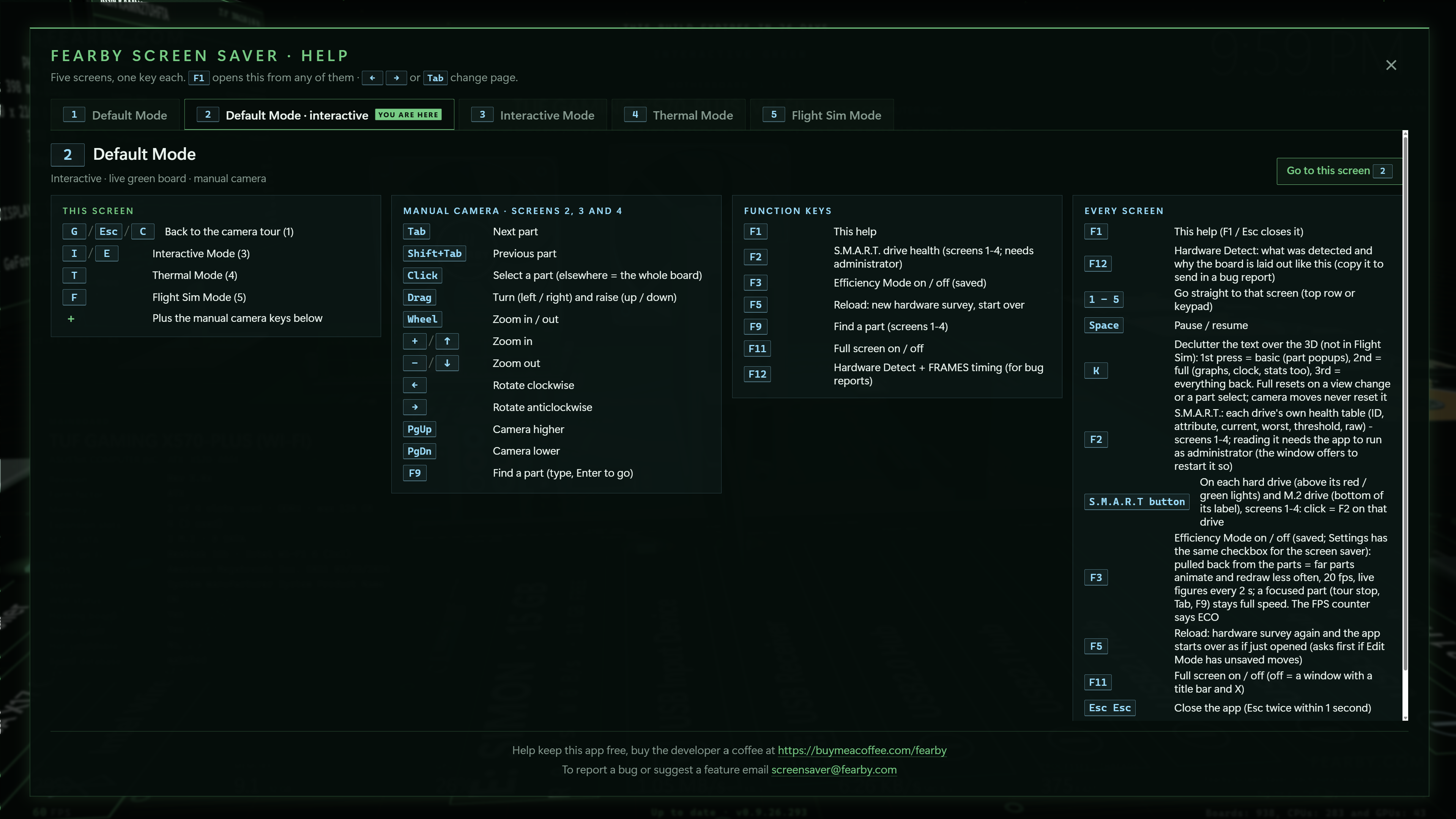
Help
Recent Changes
v0.9.26.301
- Better Screen Saver Settings
- Force the saver to close within a couple of seconds of any input, no matter what.
- Pause rendering and all the background polling when the display turns off or the PC locks.
- Optionally drop to a low-power or blank mode after a few hours.
- Occasional memory usage checks.
- Recover properly if the graphics driver resets mid-run.
- Write a small health log so I can see if anything is creeping up over a long run (cap file size).
- Add a section to the saver to enable debugging
- Settings Screen DPI Monitor 100% to 200% Scaling Fix
- v0.9.26.301 Alpha Build Expires on the 1/1/2027
v0.9.26.300
- Switched to a MSI Installer (NSIS Installer was giving Flase Malware Flags)
- v0.9.26.300 VirusTotal Scan
v0.9.26.299
New: parts library (early preview)
- F4 Parts: a library of about 480 PC parts and components, each viewable in 3D. Sadly just a simple cube for now to performance test the parts library loader.
- Add Part: in Blueprint Mode (3), Edit Mode, add real parts to your edited board, with live progress while each one loads.
- Work in progress: parts may be wiped with each build for now.
Malware false-positive and security hardening
- Disabled automatic network access: the saver and app never contact the internet on their own.
- Updates: a “Check for updates” button in Settings, used at most once a week.
- LAN scan removed: Flight Sim’s network-discovered stars are gone (was local PC's ping times); the stars are now random.
- No global keyboard polling: Space-to-pause now works without watching the keyboard system-wide.
- No files unpacked to TEMP: all files are installed up front into Program Files.
- Uncompressed, signed installer.
- Setup no longer makes itself your screen saver unless you tick the box.
- One installer only: the large self-contained build has been retired.
- Screen saver install turned off by default in setup
- Removed the Full Installer with .NET runtimes included (scanners thinks thats shady (but tis a Visual Studi Build Option)?
v0.9.26.298
- RGB Mode Lighting Enhancements on HDD Platters
- Free Camera Mode (press 6)
- Set and Reload Camera Positions
- Screen Saver Settings
- Etc
v0.9.26.297
- When the camera moves behind the monitors they hide (and not block the view)
v0.9.26.296
- RGB Fans
- Dummy FAN Control
v0.9.26.295
- Sound effects: new “Play sounds” setting (on by default) with 35 sounds in the app, Edit window and Settings.
- Silent screen saver: the real screen saver never plays sound.
- Expired builds: an expired alpha now keeps running in a limited mode instead of freezing or closing.
- Expiredbuild limits: it stays on the camera tour, ignores keys and mouse (except Esc twice), and shows an “Alpha build expired, please update” message.
- Expired settings: your saved view settings are ignored but not erased, so a newer version finds them again.
- Better auto layout: parts are placed and wired automatically so lines stay clear of parts and each other.
- Fewer manual fixes: you should rarely need Edit Mode to tidy the board.
- CPU wiring: lines leave the CPU in tidy bundles on each side, and the graphics card connects from the bottom.
- Rear panel and chips: connector blocks are ordered to keep wiring short, and the controller chips are smaller so they all fit.
- Video ports: the HDMI/DisplayPort block now shows whenever there’s no graphics card in a slot.
- Power connectors: added the 8-pin and 4-pin CPU power sockets along the top edge.
- Laptop boards: redesigned, with soldered or SO-DIMM memory, the graphics chip under the CPU, and ports on the board edges.
- Mini PC / NUC boards: now laid out like a laptop board instead of a squeezed desktop one.
- Auto saved layout: the auto layout is stored, so the next start loads it instantly. Reset clears it.
- Hardware Detect (F12): the log now explains where each chip was placed and how well the wiring worked.
Help this app grow or submit your idea via Buy me a Coffee
Roadmap
The following features will be developed next (rough order). Help support these features via Buy me a Coffee.
- Flight Mode: Things to do (Target, Destruction, Sidewinder, AGM Missile, Scroll Wheel to change weapons).
- Hotkey F8: PC Maintenance Report.
- Hotkey F9: Your BudgieBackup.com information overlay in screen saver.
- Hotkey F10: Hardware Update Recommendations.
- Hotkey F11: Share hardware and board layout edits.
- Theal Grizzly Wireview Sensor Support.
- Clone the Updater from https://budgiebackup.com
- Clone the Bug Reporter from https://budgiebackup.com
- Ability colour PCB's
Help this app grow or submit your idea via Buy me a Coffee
Past Changes
Too many to list
Help this app grow or submit your idea via Buy me a Coffee